TODO: To change the footer's content go to Dr.Explain menu Options : Project Settings : HTML (CHM) Export : Setup HTML Template and Layout
Moving night shift to one day
The system has the ability to move an entire shift to one day (it will be moved to the day where the bigger part of the shift falls). This do NOT happen automatically. There are two options to handle this on the system:
1. There is a function where an adjustment is made after conversion. The adjustment is made per day (up to 8 days can be moved at once) and you will need to make this adjustment after every conversion (the system does not do this by itself). The option is discussed under Attendance/Data processing/Adjust arrivals/departures to same day.
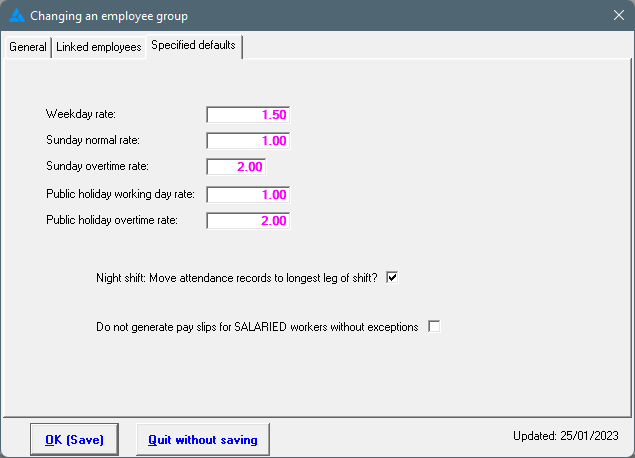
2. If this is something that must always happen on your system, a permanent setting can be put into place. The system will then always move the shift to the one day.
The adjustment is made under Tables/Master tables/Employee groups/Choose appropriate group/Specified values. The specified values are a hidden setting and can only be activated by us.