Africlock Manual
Menu

Printouts

Printouts
Printouts relating to clock movements.
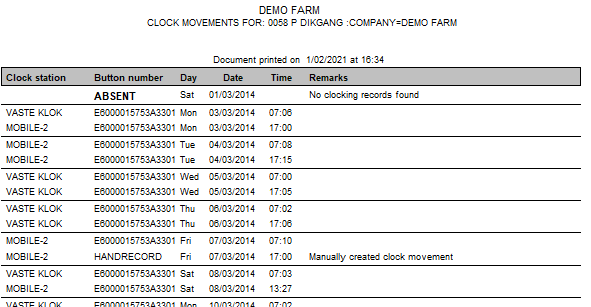
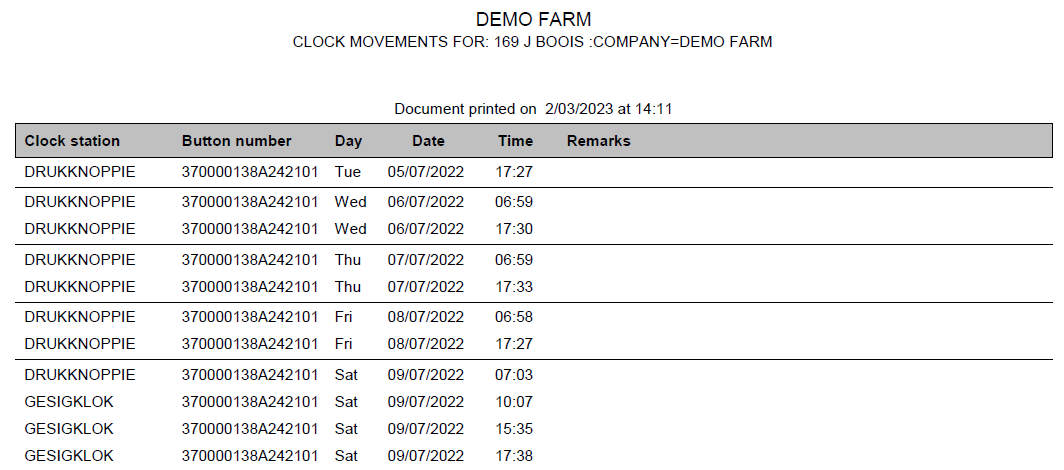
11. Clock card: All movements
The report shows the clock movements for one or more employees during a specified period.
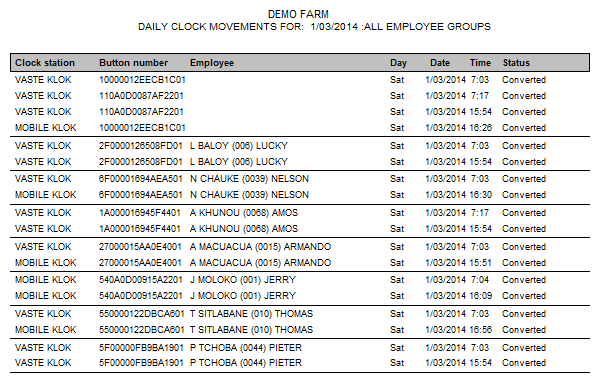
22. Daily clock movements
You can obtain a report showing the clock movements for a particular day, selected from a combination of one or all clock stations and one or all employee groups.
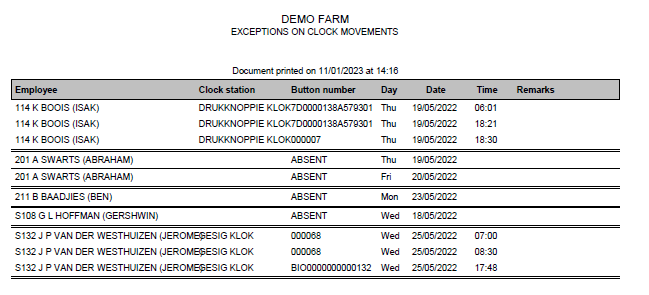
33. Exceptions only
Any clock movements that wasn't created with clocking will be shown with other related movements. It can be a leave record, manual records etc
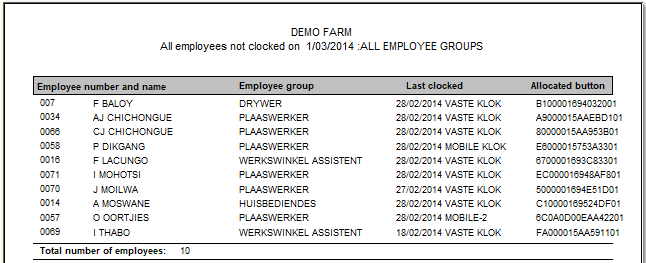
44. Personnel with no records for a date
This report lists all employees who failed to clock in and out on a particular date and were not on leave at the time.
55. Employees using multiple clock stations
Clock movements for one or more employees who clocked at more than one clock station during a period.
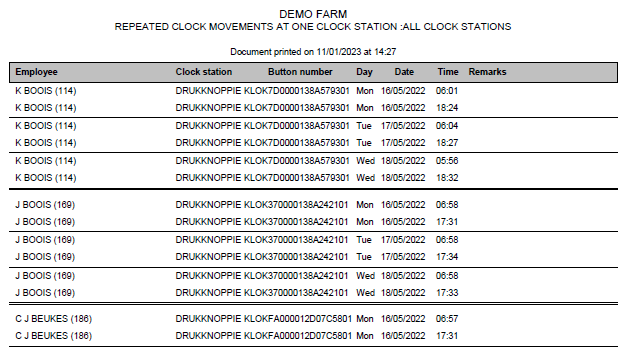
66. Repeated clockings at one clock
Clock movements per employee, per clock station, grouped daily.
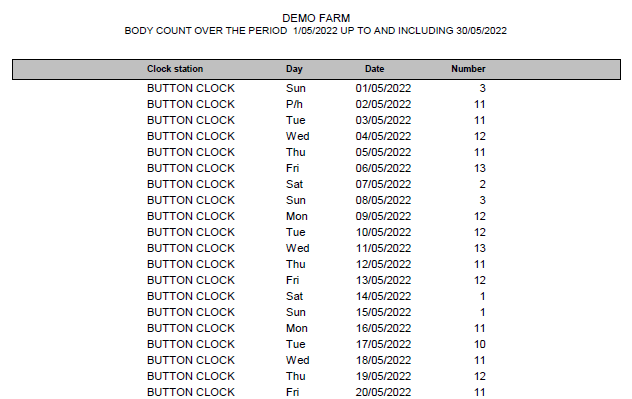
77. Body count per clock station
 
Printout with a body count of employees clocking in and out on one specific clock.
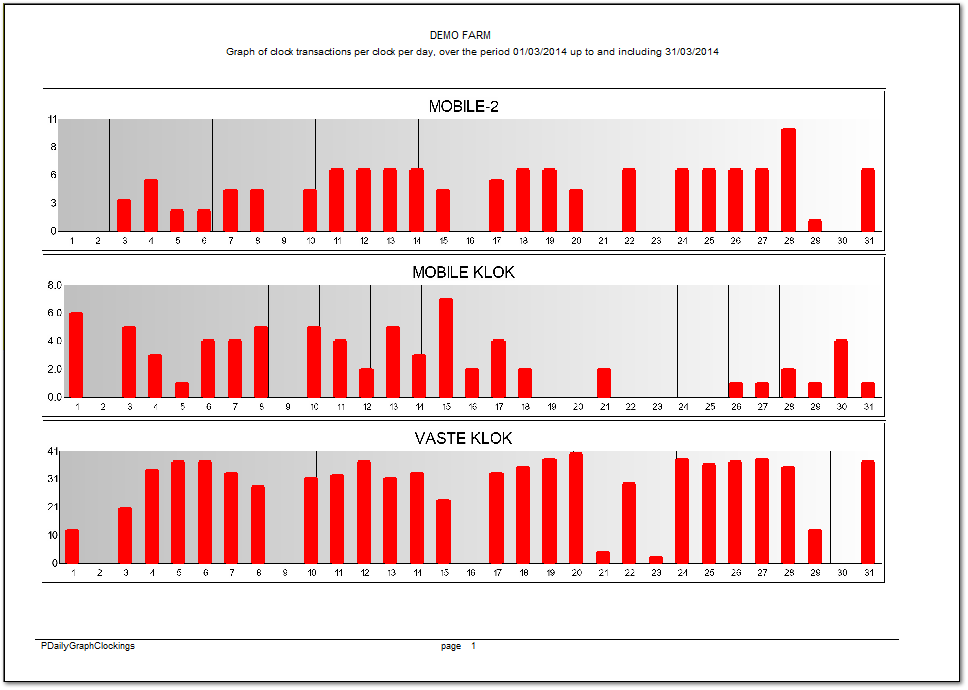
88. Graph of clockings per clock station
 
Column graph of daily clock movements over a period.
99. Early arrivals/late departures
 
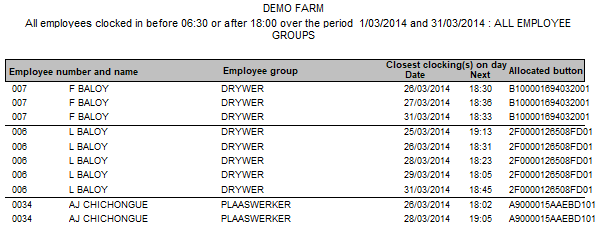
Provides details of employees who clocked in before the start of official working hours and left after official working hours had ended. You can specify the period for which the report is required.
1010. Arrivals/departures between specified times
 
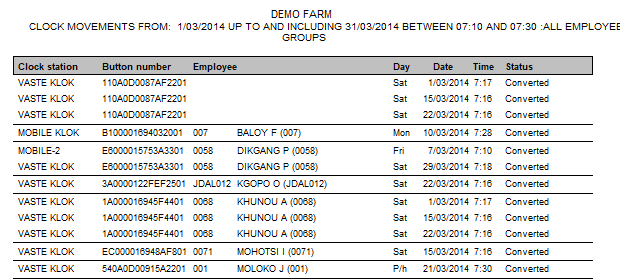
This printout gives you the freedom to give the system 2 times and then to investigate who clocked in/out between those times.
 
1111. Dot matrix printouts
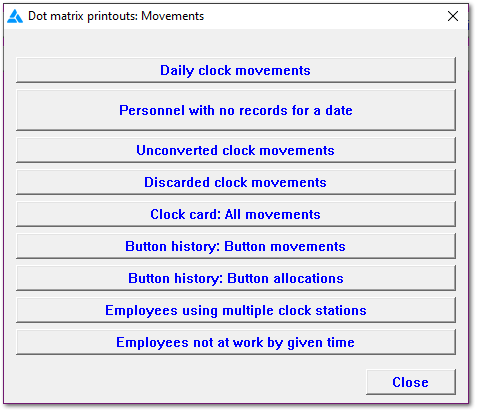
The system can print to a dot matrix printer if necessary, although only certain reports can be produced in this way. The Windows print engine is bypassed for the dot matrix printer, leading to shorter printing times than would otherwise be the case.
1212. Latecomers
 
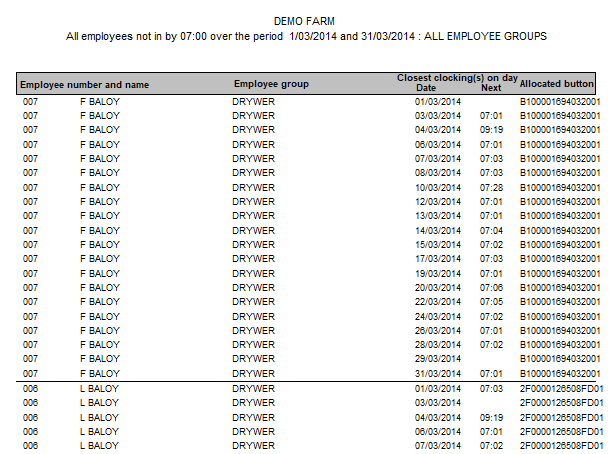
A report showing all employees who were late for work. The report can be generated using a set time or taking the time programme into account.
1313. Close
Close the screen.
The online help was made with Dr.Explain