TODO: To change the footer's content go to Dr.Explain menu Options : Project Settings : HTML (CHM) Export : Setup HTML Template and Layout
Movements
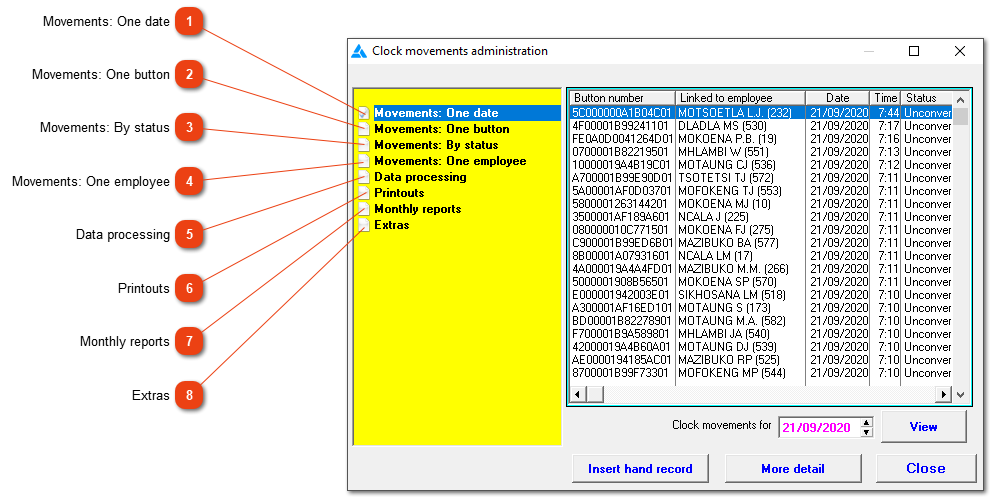
This menu gives access to the raw clock data, and provides a number of lists and reports. Clock movements are simply records of button presses and consist of the button number, date and time, a reference to the clock station and a couple of other items of information. The clock movements are converted into attendance records which are employee specific and contain the button number, a reference to the employee, date and time clocked in, date and time clocked out, remarks and an indication of how the attendance record was created (whether automatically or manually). The clock movements are not changed by this process: the attendance records are stored in a different file.
You can view the movements in several ways, create them manually, view the personnel menu and select a number of clock movements and change their clock station names (as well as their status if this is possible). 'Unconverted' in the status column means that the clock record has not yet been used to create an attendance record, 'Converted' means that it has and 'Discarded' means that it will never be taken into account when attendance records are created. 'Hand record' in the button number column indicates that the record was manually created.