TODO: To change the footer's content go to Dr.Explain menu Options : Project Settings : HTML (CHM) Export : Setup HTML Template and Layout
Access control to program
An Admin User may be identified as the main user on the Africlock system, while additional users with limited user rights can also be added. The system can only limit a user with respect to modules and not partial modules.
Follow the steps below:
ADMIN USER:
1. Click on the main screen on: Tables.
2. The word GENERAL in the yellow block will be highlighted in green.
3. On the keyboard press simultaneously: Ctrl Shift U.
4. The words USER ADMINISTRATION will appear at the bottom right side of the screen.
5. Click on: User Administration.
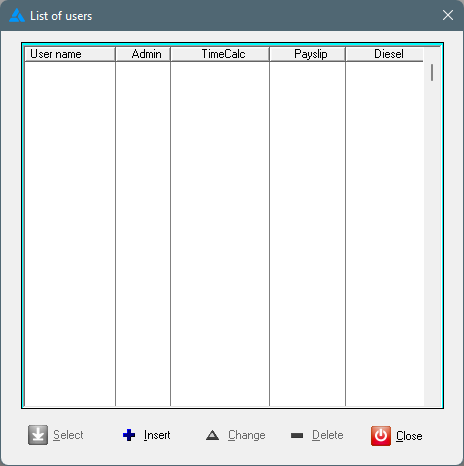
6. The following screen will be displayed where users can be added. Click at the bottom on: INSERT:
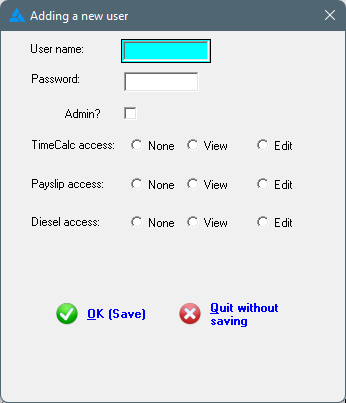
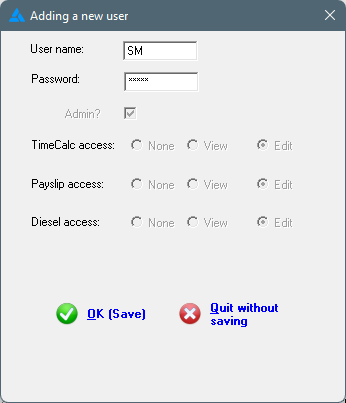
7. A screen will follow where a User Name and Password must be added, ALSO indicate that this user is the ADMIN USER:
8. Click on: OK (Save).
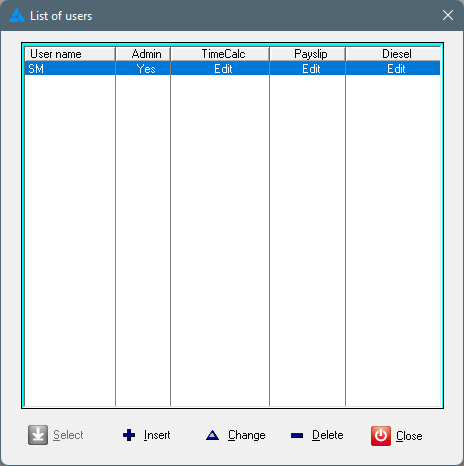
9. The user added, will now appear on the list as 'Admin':
ADDITIONAL USERS WITH LIMITED USER RIGHTS:
1. Click again on: Insert.
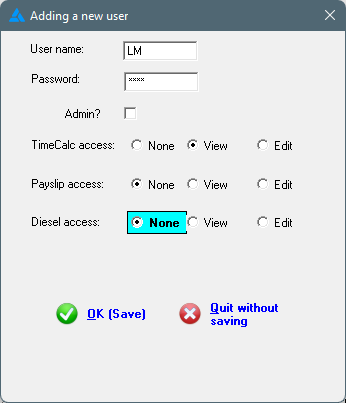
2. Provide a User Name and Password for the additional user. Indicate the user access in the options that follow:
3. Click on: OK (Save).
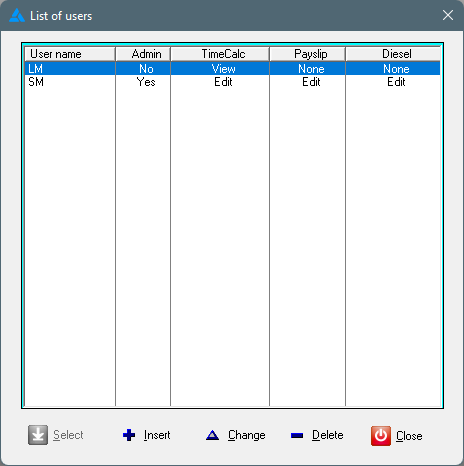
4. The list of users as added, will be shown in the list: