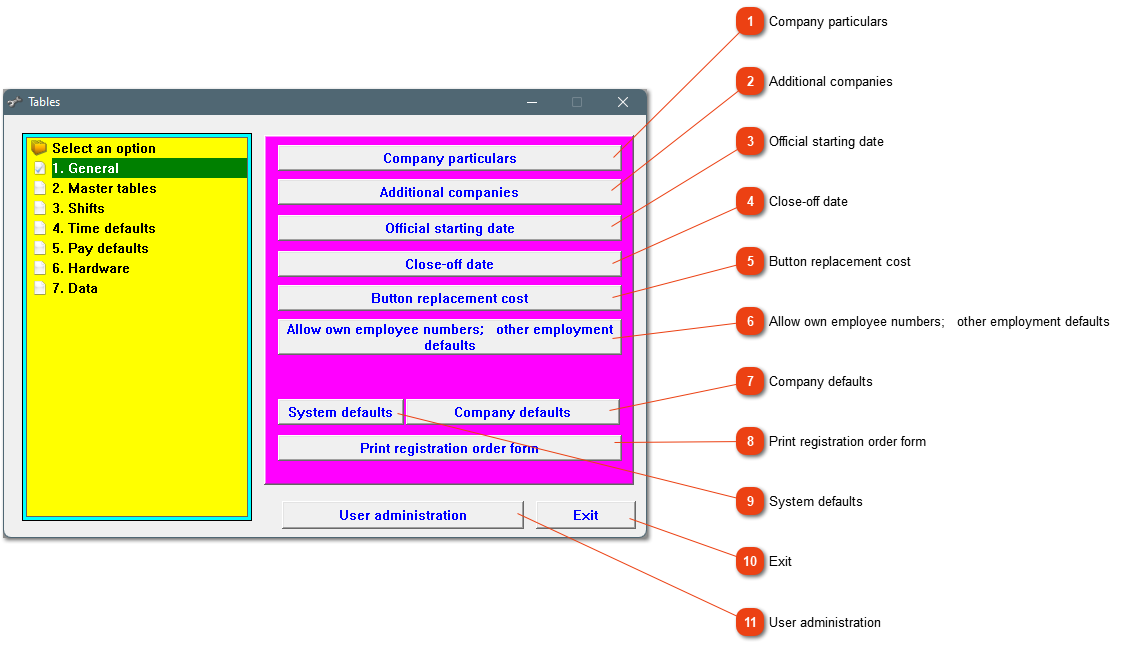
Use this option if you have been trying the system out and want to remove your test clock movements and attendance records before starting to use the system officially. Be very careful to change the date at a later stage. Everything before the official starting date is permanently deleted.
After the EMP201 is printed for the month, no changes to attendance records, leave or pay slips are allowed. If you notice an error, contact us for the password ('Day pass') to move back your closing date. Remember to print the EMP201 again.
If you do not want to use the system generated numbers, adjust the program here. Another setting that can be adjusted here, is to make the equity data compulsory.
This is a hidden option. A user name and password can be set for each person using the programme. Access can be limited in terms of software modules, for example someone might have access to the whole programme, and another person might only have access to the time calculation module.