TODO: To change the footer's content go to Dr.Explain menu Options : Project Settings : HTML (CHM) Export : Setup HTML Template and Layout
Add new readings
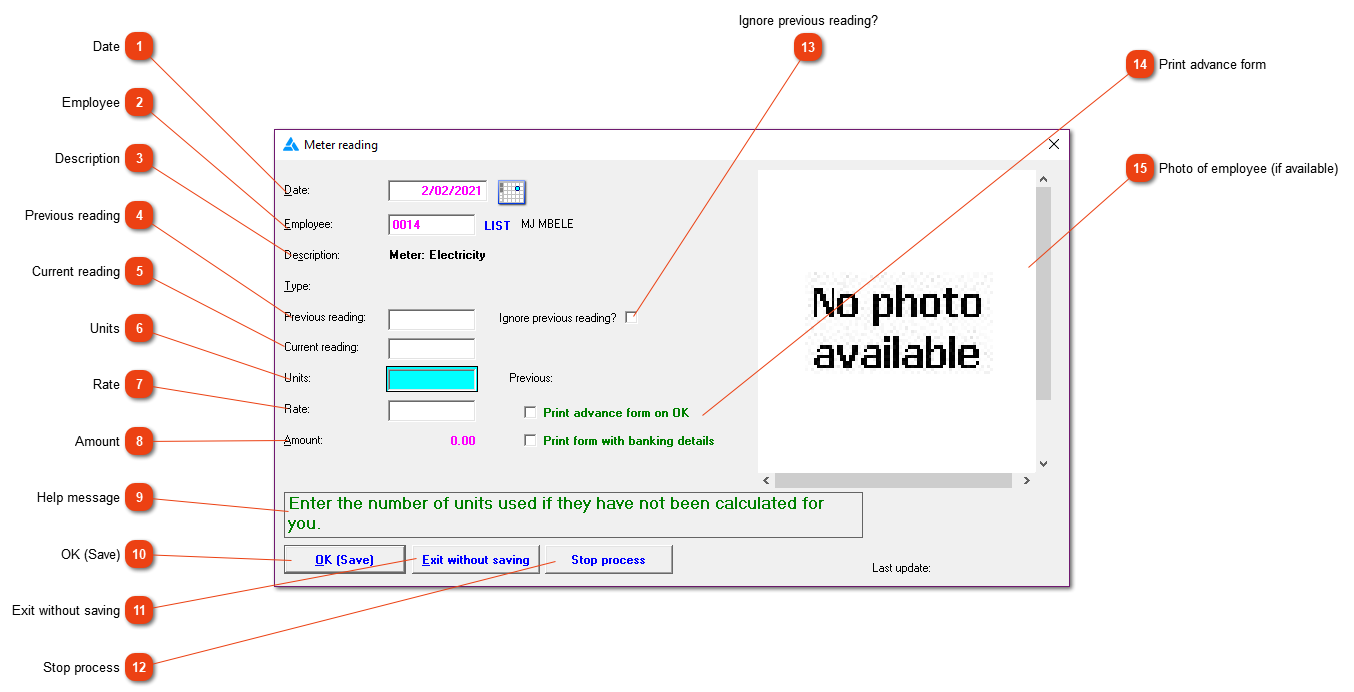
Creating a record based on meter readings. If 'Add new readings' was chosen from the meter readings menu the system will fill in most of the form for you and you will normally only need to enter the current reading and save the record. If you've reached this window via the 'Show history' button on the menu, you will have to enter all the details on the form yourself.
N.B. The system does not check for duplicate reading records. It is therefore possible to create two or more identical entries for an employee for the same date. This is particularly likely to happen during an 'Add new readings' session if 'Stop process' was clicked for some reason and the session was restarted. The same employees will be shown as on the first occasion and you will not be warned when entering a reading that it is already in the system. You should tick each reading on your list as you enter it to avoid problems.
Date
The date on which the deduction must be made from the employees' wages. This date should fall within the pay slip period.
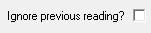
Enter the previous reading if the system does not display it automatically. N.B. If you've set 'Ignore previous reading' afterwards, the previous reading will be cleared.
If values are displayed in the previous and current reading fields, the system will attempt to calculate the units for you. However, whatever value you type here will be accepted.
Save the values currently displayed. If 'Add new readings' was chosen from the meter readings menu, an input form for the next employee will be displayed. If you navigated to this window via 'Show history' on that menu, however, the window will close.
Ignore all input for the current employee. If 'Add new readings' was chosen from the meter readings menu, an input form for the next employee will be displayed. If you navigated to this window via 'Show history' on that menu, however, the window will close.
This button is visible only if you chose 'Add new readings' from the meter readings menu. It will ignore your input for the current employee, terminate further processing and close the window.
If you do not mark the checkbox, the system will attempt to calculate the units for you after the previous and current readings have been entered. If you set it while there is a reading in 'Previous reading', that field will be cleared.