TODO: To change the footer's content go to Dr.Explain menu Options : Project Settings : HTML (CHM) Export : Setup HTML Template and Layout
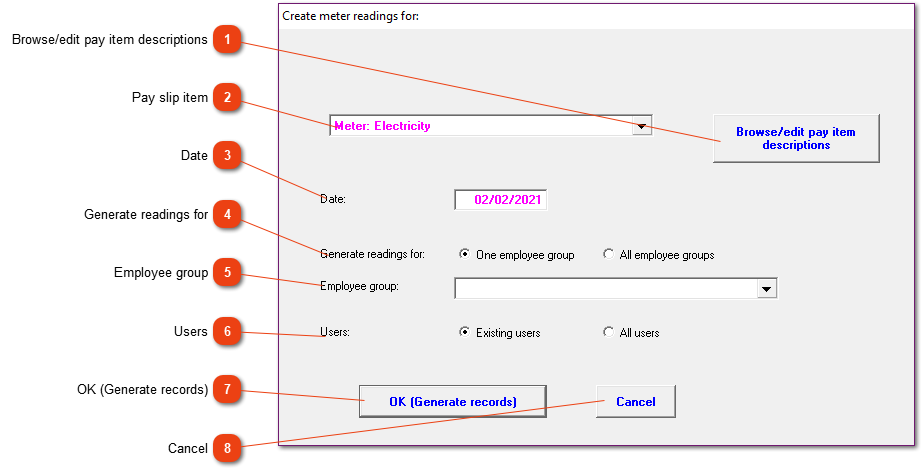
Create meter readings for:
If you've selected 'Add new readings' you will be presented with this form. The system needs this information in order to determine which employee's records must be processed.
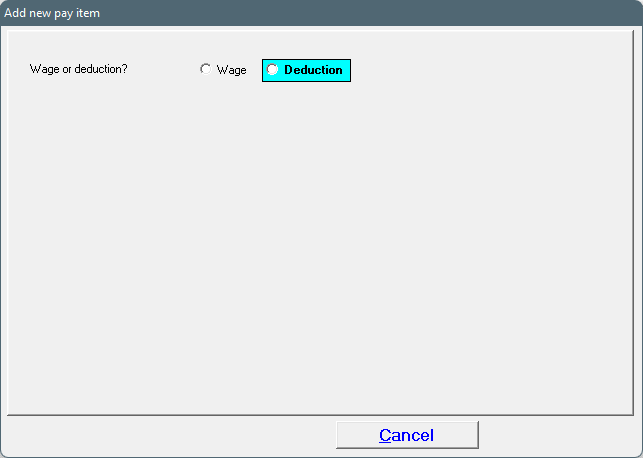
Click here if you need to input readings for a meter type which has not yet been defined (e.g. an item description exists for electricity consumption, but you are about to enter readings taken from water meters). The new item must be created and when you have done so, select it from the list to the left of this button.
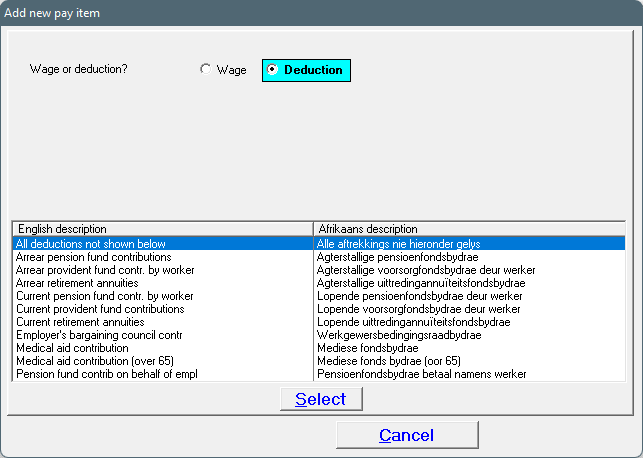
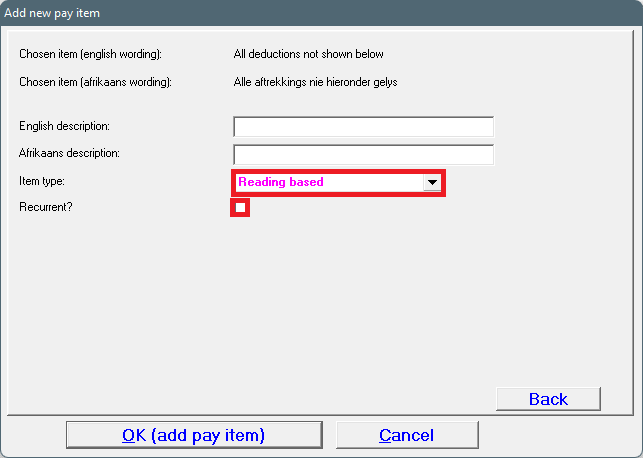
4. Choose the top option: 'All deductions not shown below'.
5. Fill out the open fields by giving an appropriate English and Afrikaans description. Use the arrow to see the different 'Item types', and select the option: 'Reading based'. The recurrent block must also be checked.
The pay slip item will now be available to be chosen as described at #2.
'Existing users' means that the system will process only those employees from the chosen group(s) who had deductions for the particular meter type on their latest pay slips. If 'All users' is selected, all employees from the chosen group(s) will be processed.