Africlock Manual
Menu

Attendance: Date order

Attendance: Date order
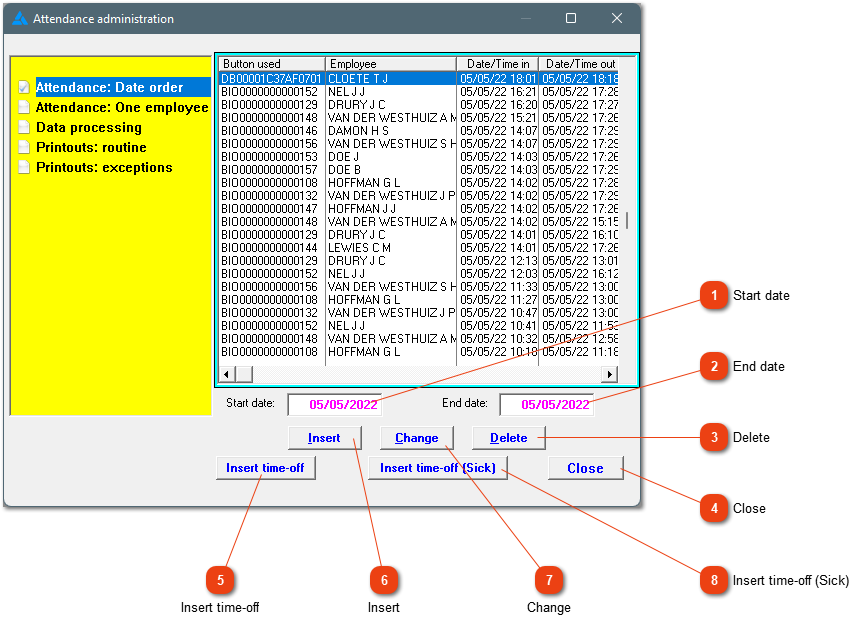
Attendance records can be seen here after conversion was done. As mentioned already, attendance can be shown according to date. The attendance records can be changed, deleted and/or added. Any changes will be shown as manually added records.
 
1

Start date

1. Start date
Show all records from this date (when date order is selected).
2

End date

2. End date
Show all records up to this date (when date order is selected).
33. Delete
Delete the highlighted record.
44. Close
Close the screen.
55. Insert time-off
This allows you to create a half day leave record (vacation leave).
66. Insert
Add an attendance record.
77. Change
Edit the highlighted record.
88. Insert time-off (Sick)
This allows you to create a half day leave record (sick leave).
 
The online help was made with Dr.Explain