TODO: To change the footer's content go to Dr.Explain menu Options : Project Settings : HTML (CHM) Export : Setup HTML Template and Layout
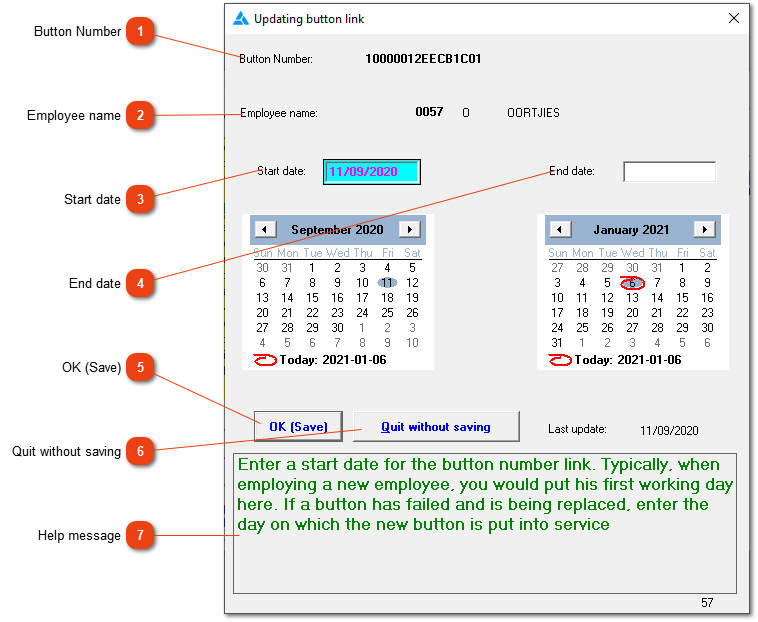
Change: Updating button link
Change the dates of a button allocation, Please do NOT enter an end date. The system will automatically write the end date when a new button is allocated or when the employee's employment is terminated.
Button Number
The button number in question will be shown here. The button number cannot be changed. If it should not have been allocated to the employee, the following steps will allow you to delete the allocation: Tables/Master tables/Buttons/Search for the applicable button/Change/Delete unallocated buttons.