Africlock Manual
Menu

Fix employee

Fix employee
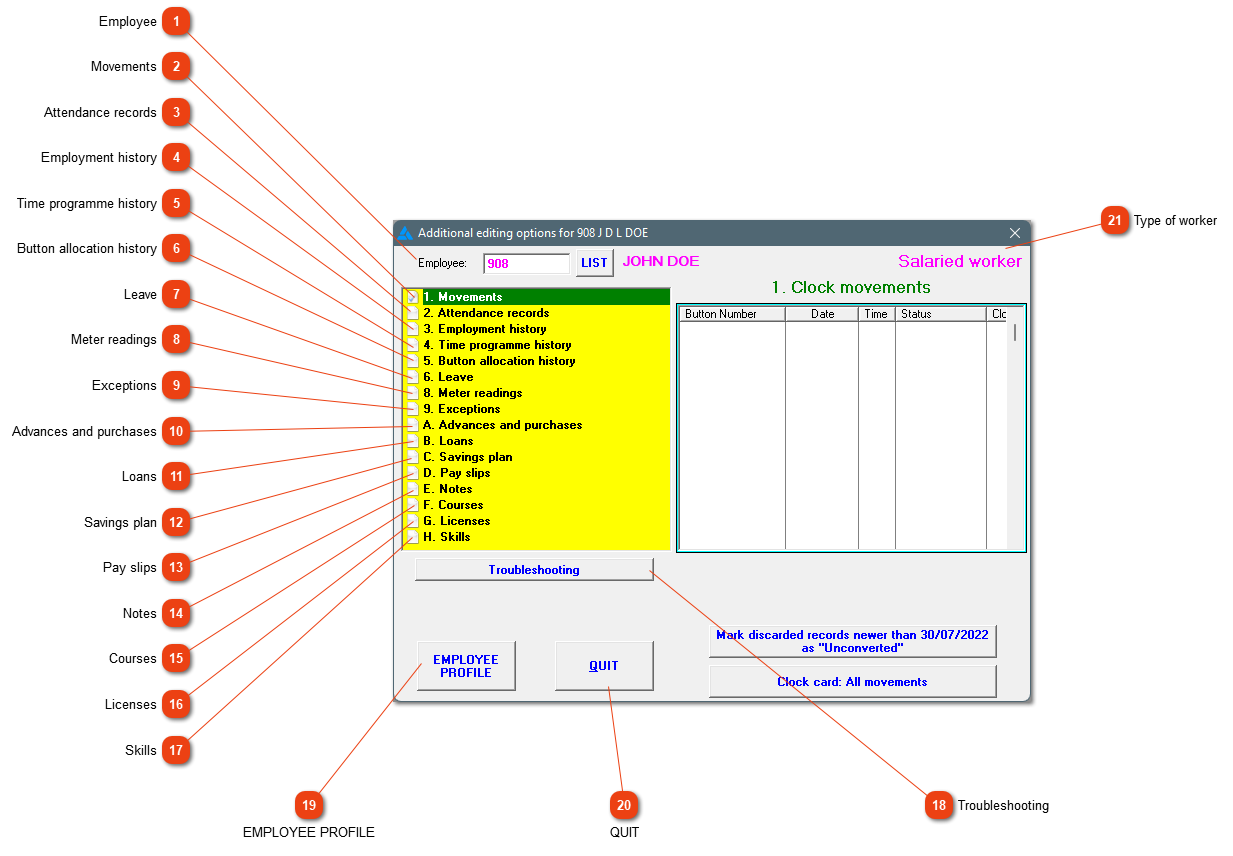
This menu allows you to examine the employee's entire history. Changes can be made here which is only applicable to this employee.
1

Employee

1. Employee
Enter the employee number (or use the 'List' button to select the employee from a list).
22. Movements
The employees' movements will be shown here. Clock cards with all the clock movements can be printed.
33. Attendance records
After conversion has been done, the employee's attendance records will be shown here. A couple of data processing options can also be found.
44. Employment history
Everything regarding the employment history can be found and edited here.
55. Time programme history
The employee can be linked to a time programme here, previous links can be discontinued or current links can be edited. Do not change the time programme from one to another if it has already been used. Rather add a new one for record keeping purposes.
66. Button allocation history
Button allocation history can be seen here. A new button can be added. The button should either be in the system or a button reader must be used.
77. Leave
Leave records can be seen, added, edited or deleted and leave balances can be adjusted here.
88. Meter readings
Meter readings, specific to the employee can be seen here. If you need to add a meter reading, it is done under Pay/Meter readings.
99. Exceptions
A few exceptions that apply to salaried workers can be addressed here. If employees worked shorter or longer hours than usual, short time or overtime can be entered here.
1010. Advances and purchases
Advances can be added, edited or deleted before a pay slip has been generated.
1111. Loans
Loans can be added here. The loan can be edited or deleted ONLY IF it hasn't been printed on a pay slip. If a pay slip has already been created containing the loan, the system will not allow changes to the loan. A detail of loan can also be printed here.
1212. Savings plan
Details of the employee's savings plan can be seen here and interim savings plan transactions can be added here.
1313. Pay slips
The employee's pay slips will all be listed here. A pay slip can also be created. Just remember to go through all necessary steps before the system will allow you to generate the pay slip. The last pay slip can also be edited or deleted if the month hasn't been closed off yet.
1414. Notes
Any information which needs to be recorded for a specific employee, can be added and printed. Notes can also be printed over a period for all employees.
1515. Courses
If you use the system for courses, the employee's/student's marks can be added here. The course should already be loaded.
1616. Licenses
Add the employee's vehicle disc or driver's license here. The system will give a warning when the expiry date gets close.
1717. Skills
If employees have achieved a skill by means of training, it can be added here.
1818. Troubleshooting
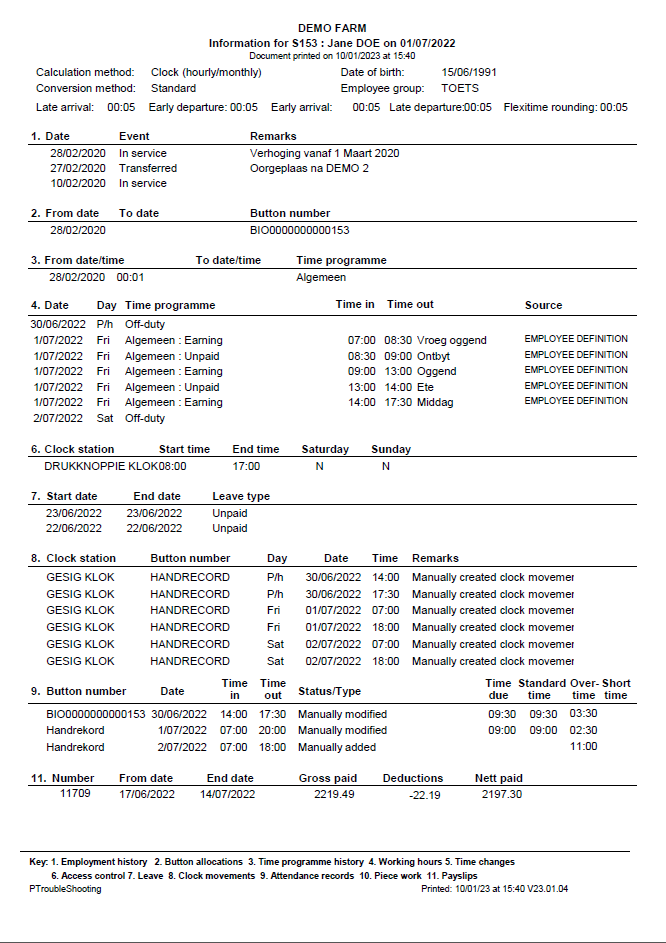
Click here to obtain abbreviated details of the employee's employment history, button allocations, time programmes, clock movements etc.
1919. EMPLOYEE PROFILE
Click to view or change the employee's personal data.
2020. QUIT
Close the window.
21

Type of worker

21. Type of worker
Is the employee a clock-, piece- or salaried worker according to the system? This will be shown here. If you change the 'Employment history', the screen first needs to be closed before the change will be shown.
 
The online help was made with Dr.Explain