TODO: To change the footer's content go to Dr.Explain menu Options : Project Settings : HTML (CHM) Export : Setup HTML Template and Layout
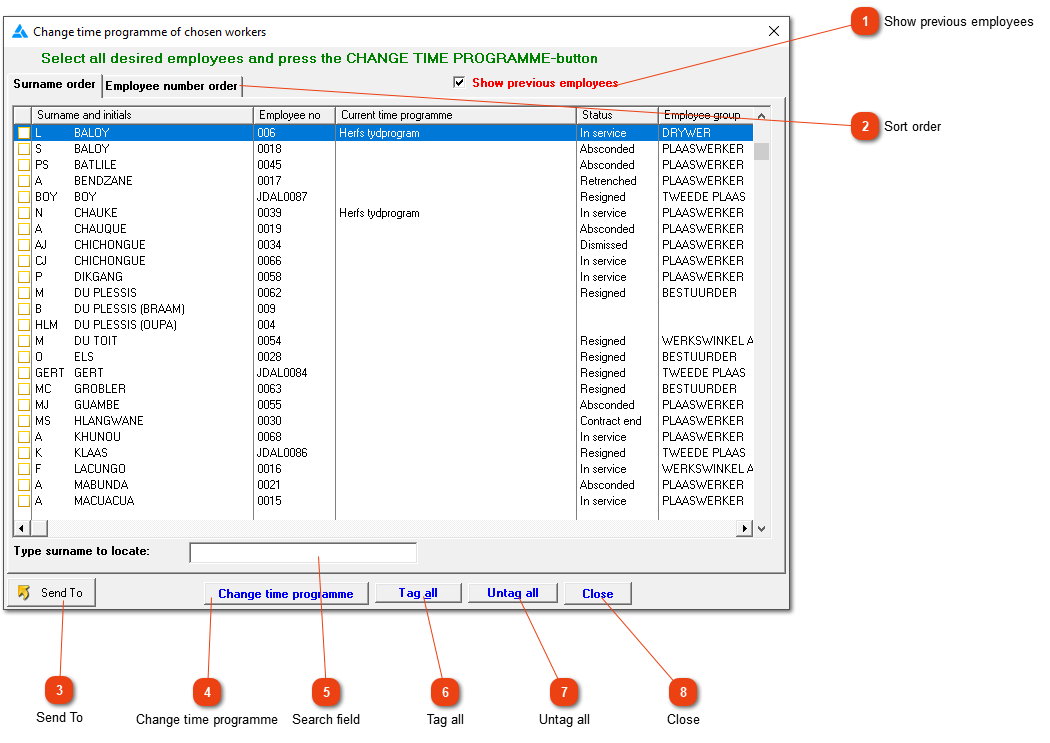
Change time programme for several employees
Use this window to select any number of employees and assign them all to a particular time programme. Click the box to the left of a surname to select that employee. Click it again to cancel the selection. You can also right click anywhere on the list to obtain a menu providing useful selection options.
Click here to show or hide all employees no longer in your service.
Typing a surname here (or the employee number, depending on the sort order) will make the cursor jump to that employee, or you can use the normal navigation buttons (up, down, page up and page down) to find a specific employee. If the employee isn't in your list, the marker will jump to the closest fit. To find another employee, BACKSPACE to clear the field and type in the new search term.