Africlock Manual
Menu

Create time programme definitions

Create time programme definitions
Linking an employee or an employee group to a time programme. When this involves only one employee, you can alternatively use 'Insert' on the list of time programme links or this can also be done under the employee's profile.
1

Show previous definitions

1. Show previous definitions
Show previous time programme definitions - the second tab: When 'One employee' is selected, the employee's time programme history can be viewed here.
2

Create definition for

2. Create definition for
Select 'One employee' or 'All employees' as the case may be. If you choose 'One employee', you will be asked to supply the employee number.
3

One/all employee groups

3. One/all employee groups
This option is visible when 'All employees' was selected. Choose 'One employee group' or 'All employee groups' as the case may be.
4

Employee group

4. Employee group
If 'One employee group' is applicable, select the group from the list.
5

From date

5. From date
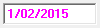
Indicate the start date when the employee(s) will begin with this time programme.
6

From time

6. From time
Indicate from what time the employee(s) will follow this time programme. If you aren't sure what to do and your staff generally works normal daily hours (not night shifts and so on) you can safely type 00:01 (one minute after midnight) here. If you still feel unsure of yourself (or your staff works shifts), please contact us for advice.
7

New time programme

7. New time programme
Click the arrow to obtain a list of available time programmes, then select the one you require.
8

Help message

8. Help message
This is a help area with context sensitive messages to assist you in completing the form.
99. OK (Create records)
Save the values currently displayed.
1010. Quit
Close the window without saving anything.
 
The online help was made with Dr.Explain