TODO: To change the footer's content go to Dr.Explain menu Options : Project Settings : HTML (CHM) Export : Setup HTML Template and Layout
Create multiple piece work entries
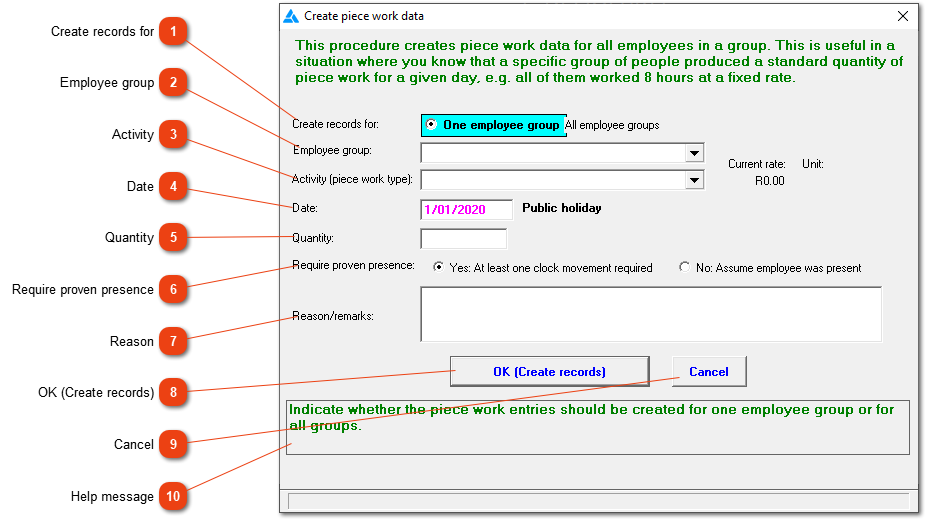
Use this window to create piece work records for all members of one employee group or all members of all employee groups for a specific day in a single operation. This obviates the need for you to enter the data for each employee individually, but does mean that every employee must have produced the same number of units as any other employee in that group for the specific day.
Create records for
Indicate whether the records must be created for one employee group only, or for all groups.
Indicate whether you require proof of an employee's presence at work on the given date, or whether you are prepared to assume that he/she was there. If you choose the former and the employee has no clocking records for that date, no record will be created for him/her.