Africlock Manual
Menu

Licenses

Licenses
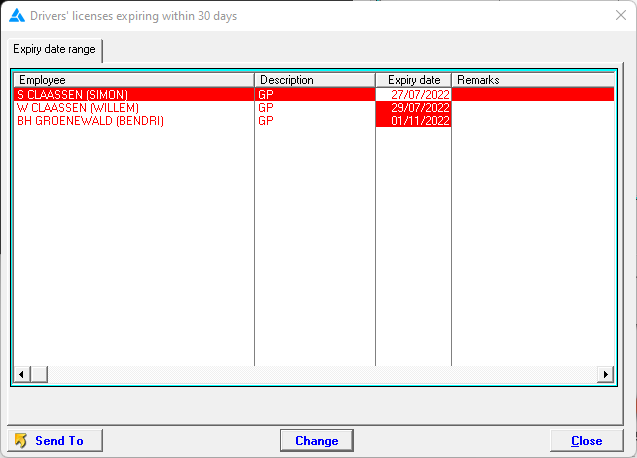
Enter employees' drivers' licenses here. The system will give you a warning when the expiry date is close. As seen below, when Africlock opens, the following screen will be shown with licenses expiring within 30 days or if it has already expired.
1

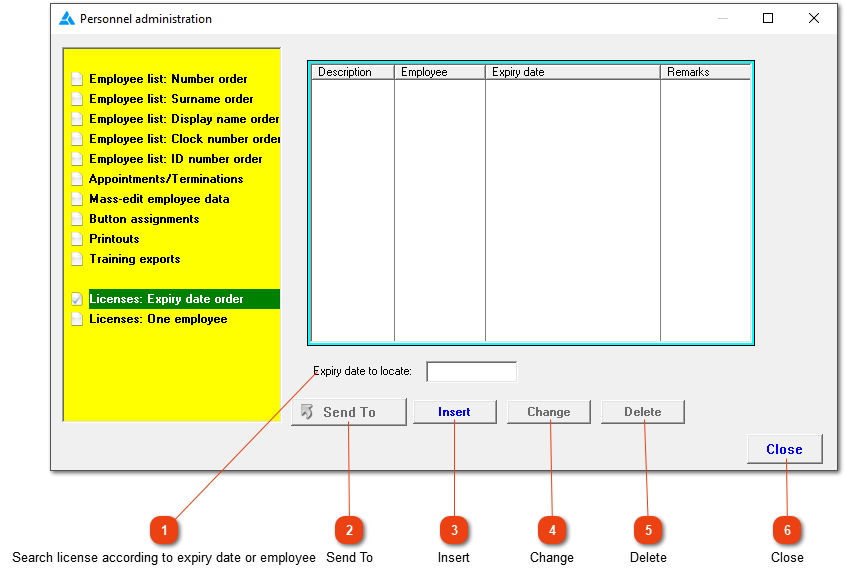
Search license according to expiry date or employee

1. Search license according to expiry date or employee
This depends on which option you chose, either 'Licenses: Expiry date or One employee'.
22. Send To
This button (which becomes active as soon as the list contains one or more entries) allows you to print, export or e-mail the contents of the list.
33. Insert
Add a new license for an employee. More than one license can be added per employee.
44. Change
Change the record.
55. Delete
Delete the record if the employee isn't in your service anymore, or if the license isn't applicable anymore.
66. Close
Close the window.
The online help was made with Dr.Explain