TODO: To change the footer's content go to Dr.Explain menu Options : Project Settings : HTML (CHM) Export : Setup HTML Template and Layout
Pay slip item descriptions
This is the same screen as found under Pay/Pay slip items
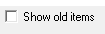
Check this box if you want to see old/discontinued items in the list. Discontinued items cannot be used again, but you can see how the item was set up.
If the item is generated for system use, e.g. 'savings plan withdrawal', the system will not allow you to edit anything. If a pay slip item with a SARS code must be changed, please phone the office for assistance as these items are password protected. Otherwise, the item can be edited as needed.
You can discontinue a pay slip item if the item is no longer used. You won't be able to use it again, but it is still available on the system to view the set up and for historic purposes.