TODO: To change the footer's content go to Dr.Explain menu Options : Project Settings : HTML (CHM) Export : Setup HTML Template and Layout
Reverse conversion
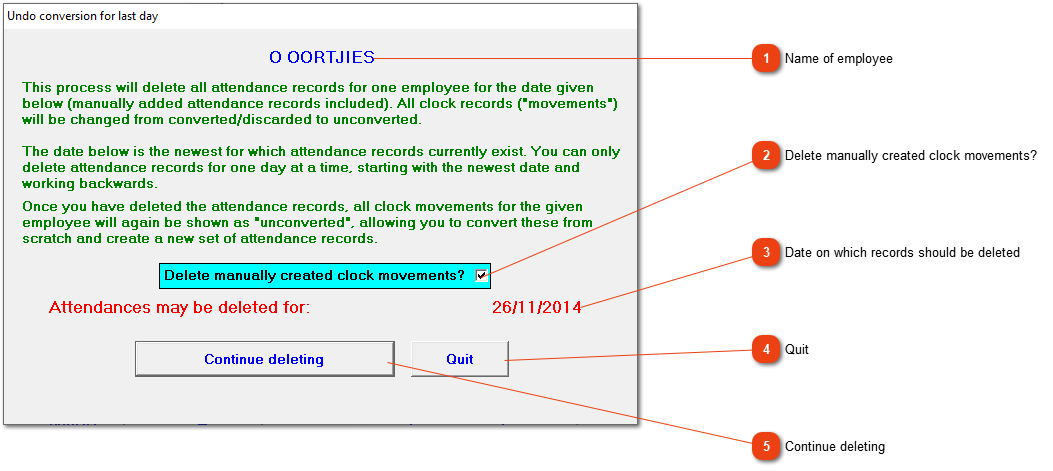
If you suspect that serious mistakes have been made during the conversion process for this employee, the conversion can be reversed. The newest date will be deleted and all the applicable clock records will be changed to 'Unconverted'. This will enable you to start the conversion process again to create new attendance records. If more than one day's conversions need to be reversed, continue deleting till the correct date has been reversed, before conversion is started again.
Name of employee
The conversion will be reversed for the applicable employee whose initials and surname will be shown here.