To properly display this page you need a browser with JavaScript support.
Adding savings transaction
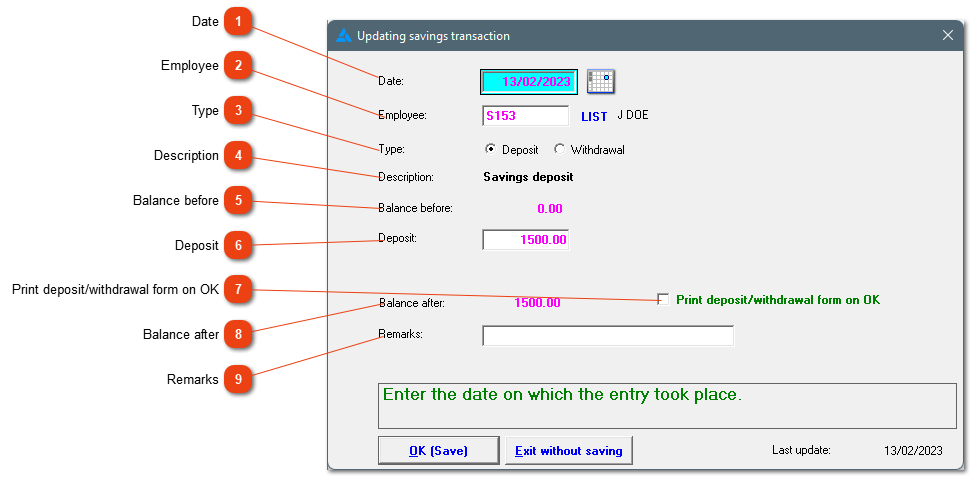
This form lets you record deposits and withdrawals for an employee. The deposits are over and above the deductions from the employee's wages.
Date
The date of the transaction.
Employee
Type the employee number or use the LIST button to choose an employee.
Type
Indicate whether this transaction is a deposit or a withdrawal.
Description
Description as it will be shown in the savings column on the pay slip, unless a remark is added at #9.
Balance before
The employee's current savings balance.
Deposit
Enter the amount of the deposit. In the case of a withdrawal, the 'Withdrawal' entry field will be shown.
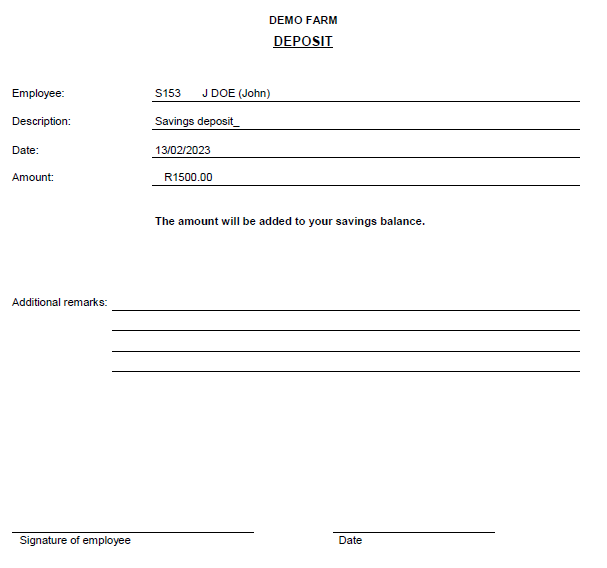
Print a form the employee can sign.
Balance after
The balance after this transaction.
Remarks
You can make a note for future reference if necessary. This will be shown on the pay slip as well as in the 'Description' field on the deposit/withdrawal form.