Africlock Manual
Menu

Contact details - IRP5

Contact details - IRP5
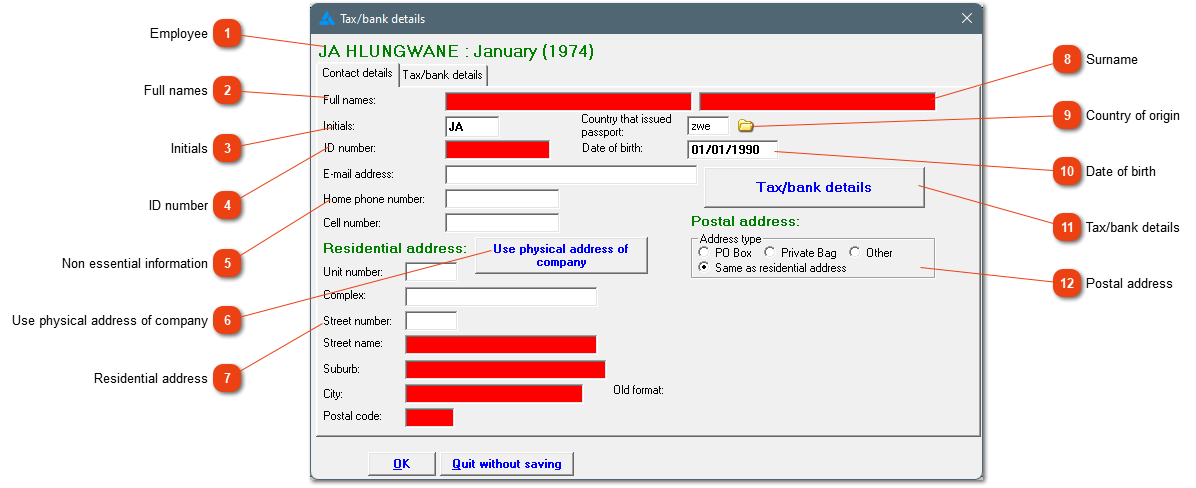
Information needed by SARS will be indicated in red. These fields must be filled. The first screen will show the contact- and address information for each individual employee.
1

Employee

1. Employee
The specific employee's initials, surname and employee number will be shown here.
22. Full names
The employee's full names must be added.
33. Initials
Please note, the system (with other words SARS) does not allow special characters in this field.
44. ID number
If the employee does not have an ID/passport number, the employee's tax details must be amended to a type B worker. The system tests if the ID number is valid.
5

Non essential information

5. Non essential information
If the employee has an e-mail address, home phone number or cell phone number, it can be added here, but it isn't essential information.
66. Use physical address of company
If the employee stays on the farm, the farm's address information can be added by clicking on this link.
77. Residential address
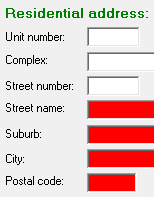
The residential address can consist out of several components. Everything does not need to be filled out. The system will indicate if the information isn't enough.
8

Surname

8. Surname
The employee's surname must be filled in/corrected here.
99. Country of origin
If the employee is a foreigner, the country of origin must be selected.
1010. Date of birth
The employee's date of birth must be typed out. This is necessary information.
1111. Tax/bank details
This opens the second tab/screen at the top with specific tax and bank details.
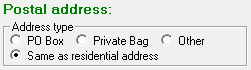
1212. Postal address
Choose the applicable option with regards to the employee's postal address.
 
The online help was made with Dr.Explain