TODO: To change the footer's content go to Dr.Explain menu Options : Project Settings : HTML (CHM) Export : Setup HTML Template and Layout
Delete attendances
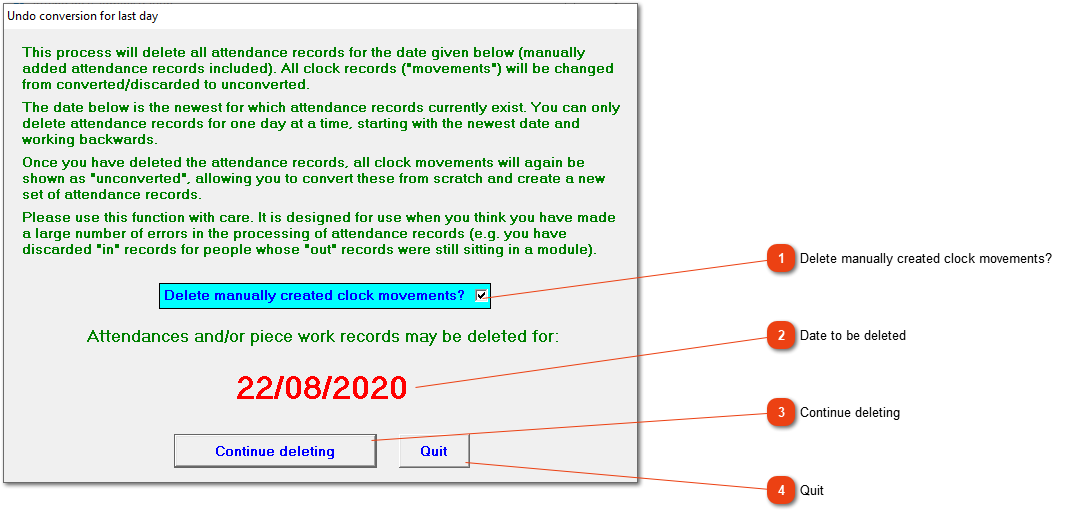
If you think that serious errors occurred during the conversion process, you can reverse the conversion. All attendance records for the date shown in the window will be deleted, and the relevant clock records will be marked as 'Unconverted' so that you can redo the conversion and obtain a fresh set of attendance records. If you need to undo the conversion for more than one day, you will have to run this routine as many times as required before you begin converting again. N.B. The date shown in the window will be supplied by the system. It is the latest date for which attendance records exist and you cannot change it. If only one employee's conversion should be done again, his attendance can be deleted under Fix Employee.
Click the box to indicate that manually created clock movements must also be deleted.