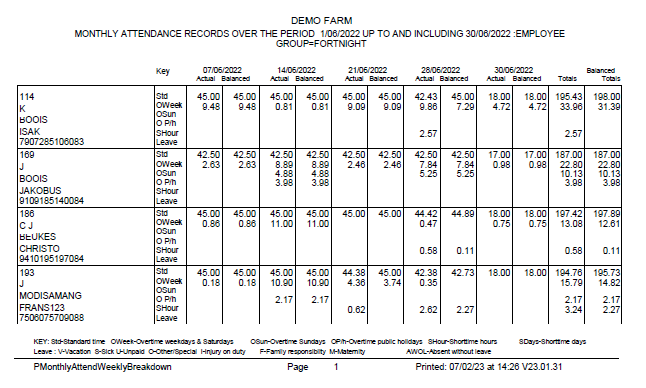
This report splits the attendance into weekly periods. Standard time, different overtime and short time per employee, the actual hours as well as the balanced hours if balancing is switched on.
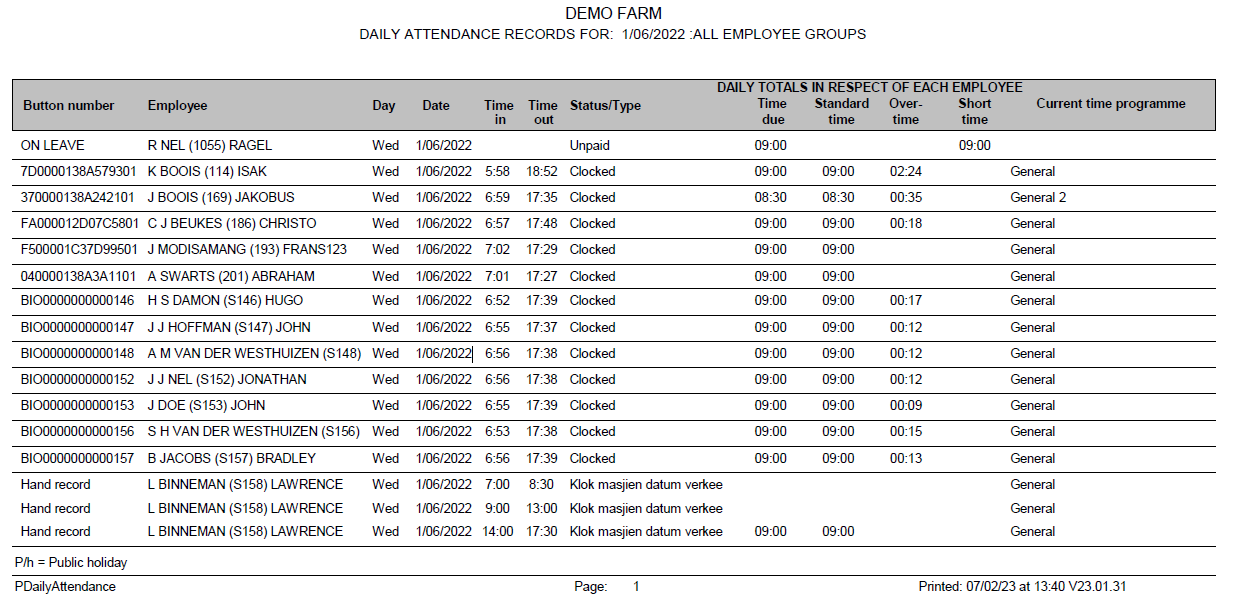
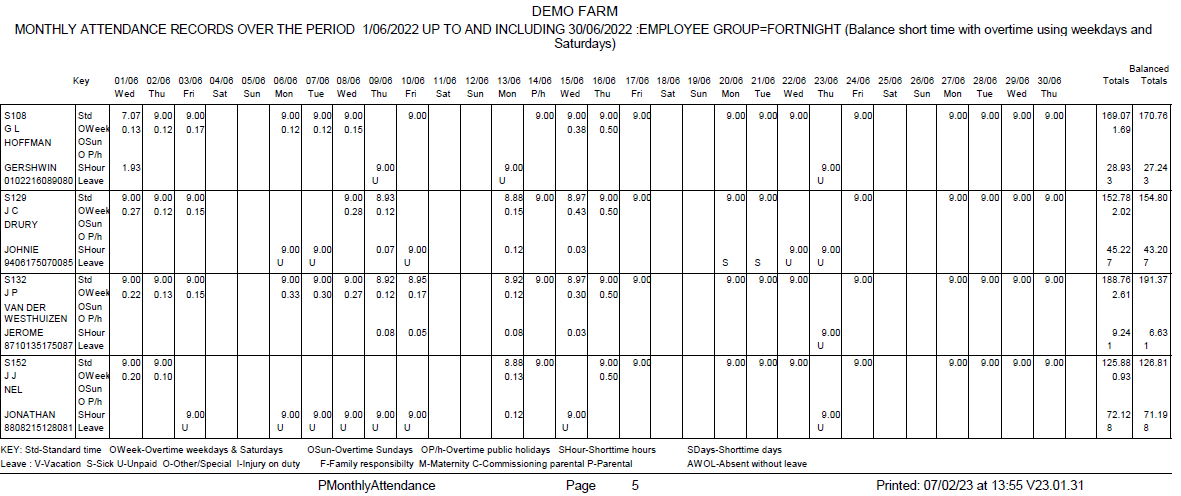
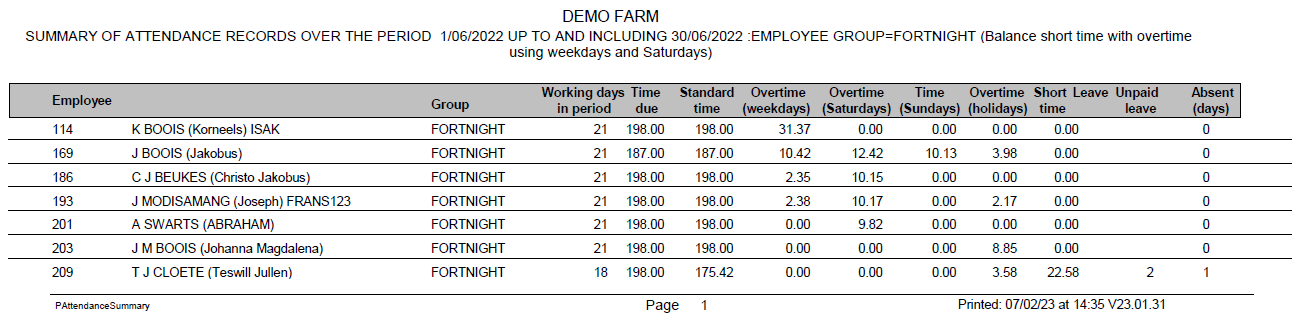
This is a report (requested for a certain period) which shows days worked, hours required, standard time worked, overtime by type (weekday, Saturday, Sunday, public holiday), short time, leave and unpaid leave for each employee.
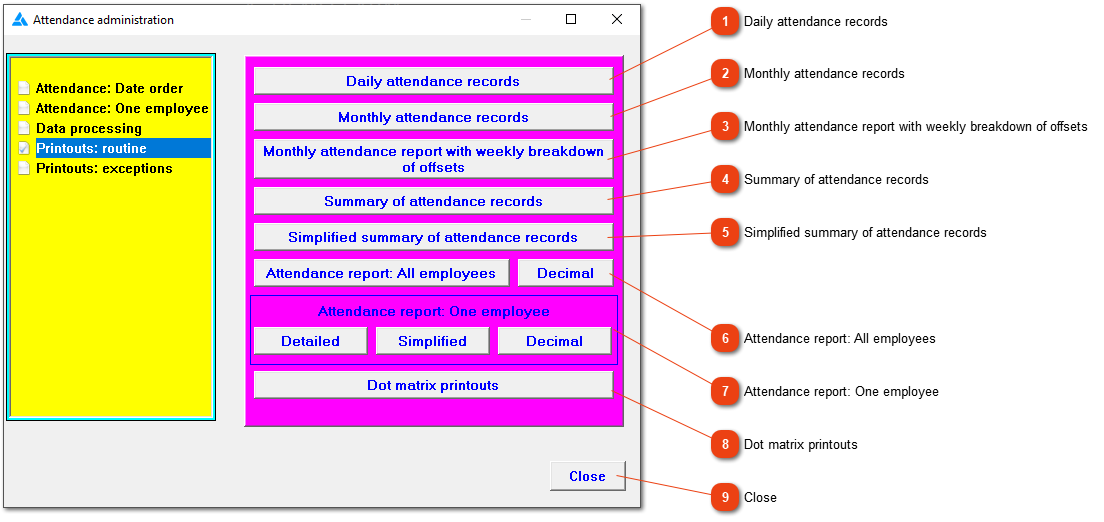
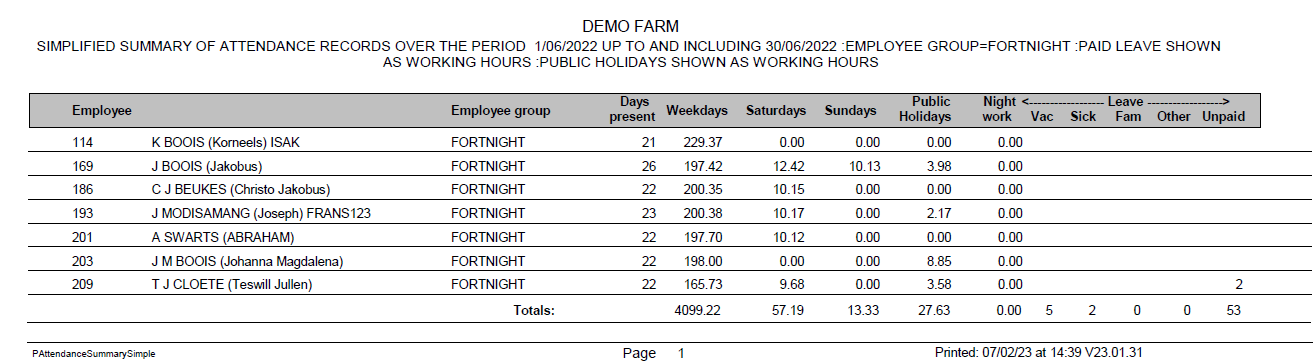
A simplified summary of the employees' attendance records. Here you can see the amount of days worked, how many hours was on weekdays, Saturdays, Sundays and public holidays as well as the amount of leave taken in the period.
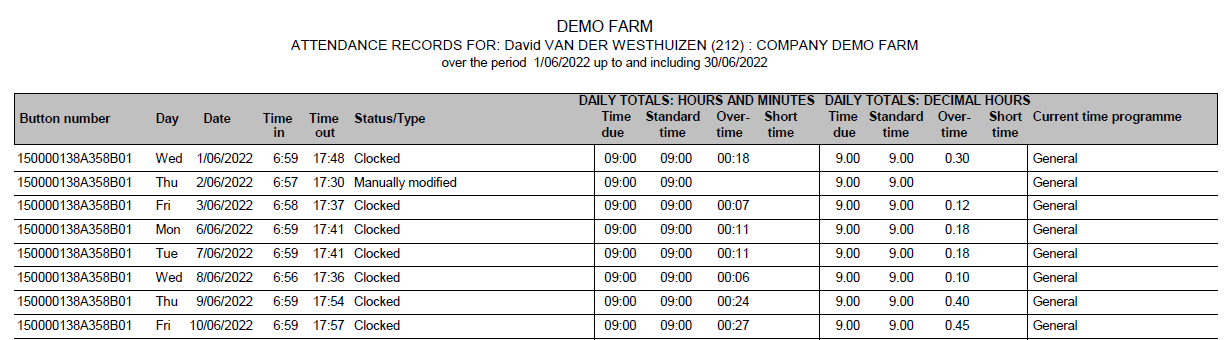
Print an attendance report for the chosen period. The option on the left side will use the hour: minute format (UU:mm) but totals will be printed as decimals (1 hour and 15 minutes will be shown as 1.25). The 'Decimal' option will produce the same information, but all the numbers will be shown in both formats. One column will show the records in hour: minute format and the second column will be shown in decimal format.
A detailed, simplified or decimal attendance report can be printed for only one employee.
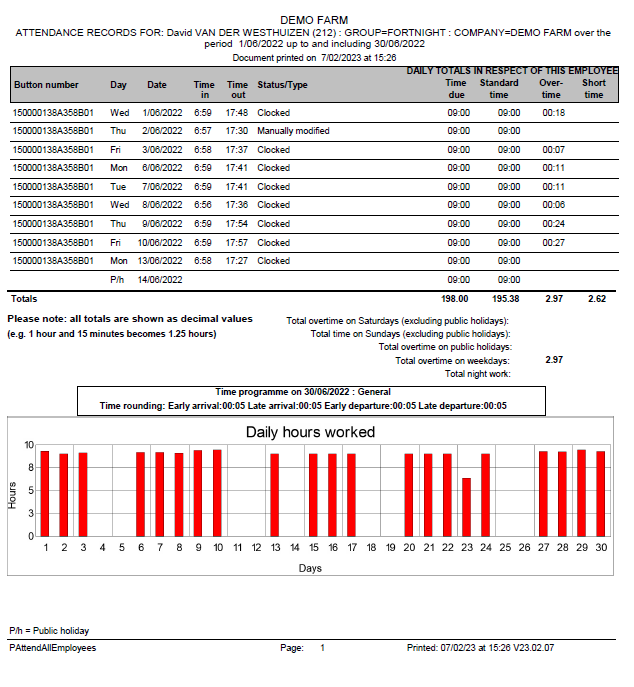
The detailed attendance report shows the days and times clocked with an overtime and short time column. It also gives totals as well as balanced totals. A setting can be changed for the graphic to be shown on the report or not.
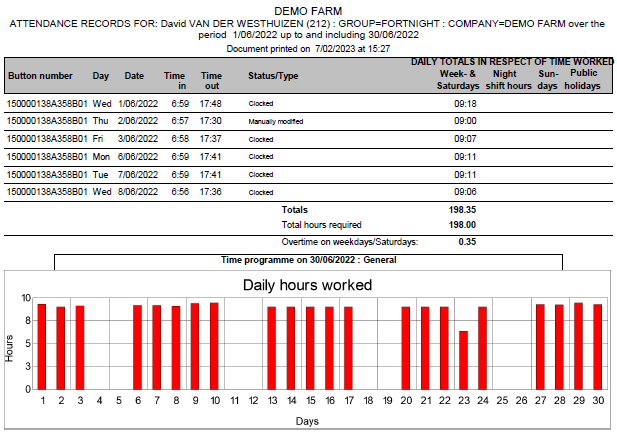
A simplified attendance report showing hours for each day without balanced totals. The system has a setting if you want to show the time required or not.
Decimal attendance reports' give the times in hour: minute format as well as decimal format with total hours as well as balanced hours.
The system can print to a dot matrix printer if necessary, although only certain reports can be produced in this way. The Windows print engine is bypassed for the dot matrix printer, leading to shorter printing times than would otherwise be the case.