Africlock Manual
Menu

Attendance reports options

Attendance reports options
Detail that applies to certain attendance reports depending on preferences.
1

Graph detail

1. Graph detail
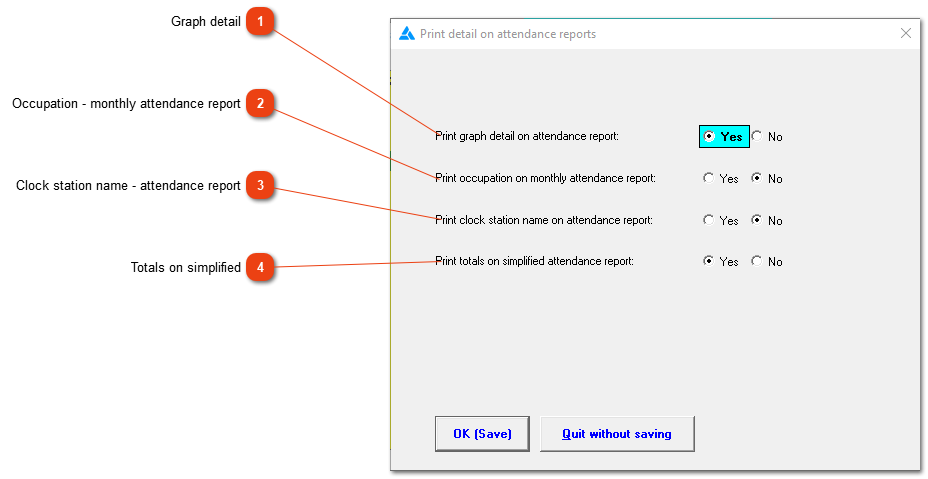
This option will add a graph on the bottom of the 'simplified/detailed attendance report' of daily hours worked.
2

Occupation - monthly attendance report

2. Occupation - monthly attendance report
This option is only applicable on the 'Monthly attendance' report. The employee's occupation will print with the employee's detail.
3

Clock station name - attendance report

3. Clock station name - attendance report
On the default setting the clock station name does not print on the attendance report. If this is important information for you, turn on the option here.
4

Totals on simplified

4. Totals on simplified
Show total time required on the simple attendance report when this option is checked. If the option is marked as 'No' only the totals for the period will be shown and not the 'Total time required'.
 
The online help was made with Dr.Explain