TODO: To change the footer's content go to Dr.Explain menu Options : Project Settings : HTML (CHM) Export : Setup HTML Template and Layout
Night work
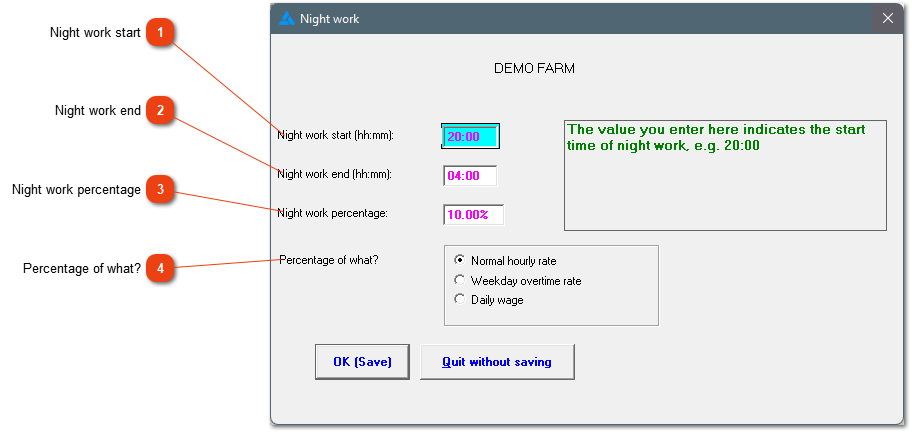
This window allows you to set various defaults pertaining to night work.
PLEASE NOTE: The employees receive a night work allowance if the employee works a certain time in a 24-hour day. This allowance is in addition to their regular and/or overtime hours worked.
General night work rules:
Farm Work Sector: Night work applies between 20:00 and 04:00 and the worker earns 10% of his daily wage, no matter how long the employee works.
Wholesale and Retail sector: Night work is anything between 18:00 and 06:00 and the rate is 10% of the worker's hourly wage for the period worked.
The way night work is calculated is fixed per company. The system does have a setting where the hours that apply to night work can be adjusted for certain workers. This setting needs to be adjusted under the employees profile.