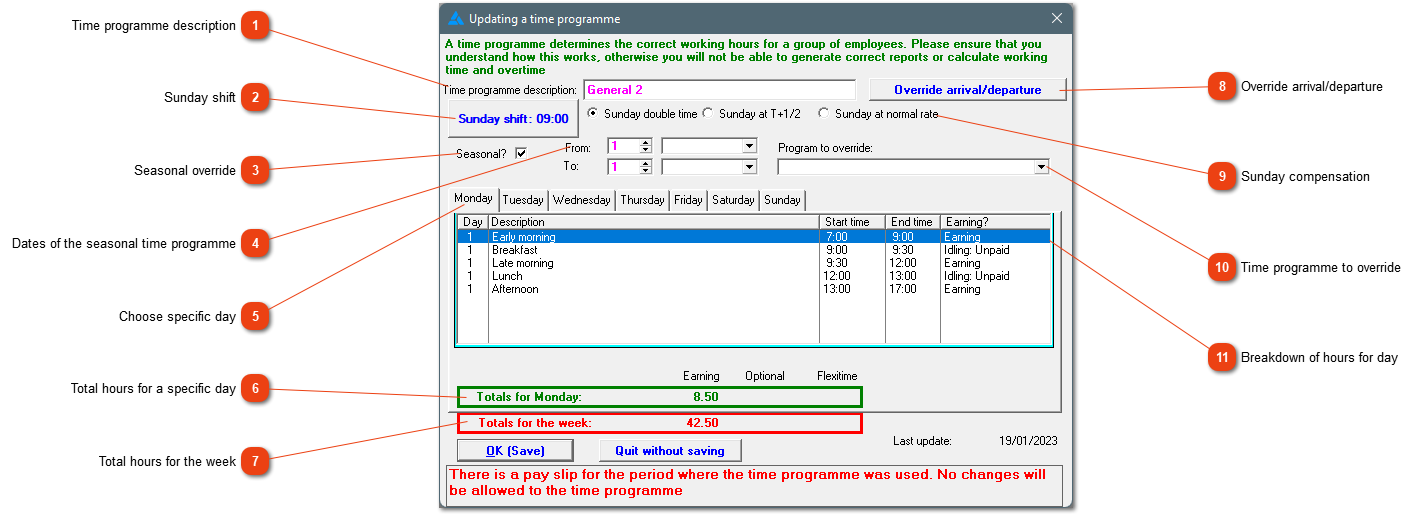
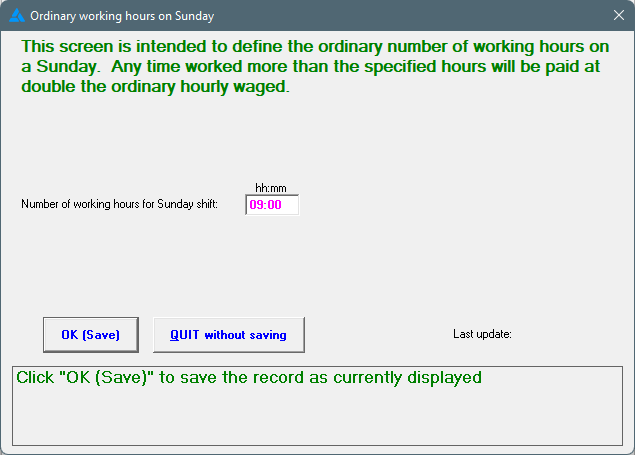
This is the amount of hours defined for a Sunday shift.
In some sectors, Sunday times can be paid at time and a half. The system looks at a couple of factors to determine whether the hours will be paid at time and a half or at double the hourly rate. These hours must form part of a 45 hour work week. If an employee has worked more than that, Sunday times will automatically be calculated at double the hourly rate.
This is a hidden option. This allows one to adjust times to make up for idle time. For example, anything between 06:30 and 07:00 can be changed to 07:00. The same can be done with the departure times. This setting will be valid on each employee linked to the time programme. Therefore, please ensure that this setting won't affect employees negatively who is actually working those overtime hours.
This is a hidden option. The default setting is to compensate Sunday hours at double the hourly tariff. The system has other options when it comes to compensation on a Sunday, because different sectors handle this differently. This does not give you the right to change these settings to something unlawful in your sector. In the farming sector, work on a Sunday should always be at double the hourly rate.
For seasonal overrides to be effective, all employees should be placed on a specific time programme. In this case, the Standard time programme will be changed to the Autumn time programme for the period defined on this time programme as defined in number 4 above.
This list shows the specified hours and breaks of a specific day. Each day's hours must be specified separately. The hours of the previous day can be copied too the next day.