Africlock Manual
Menu

Seasonal changes/overrides

Seasonal changes/overrides
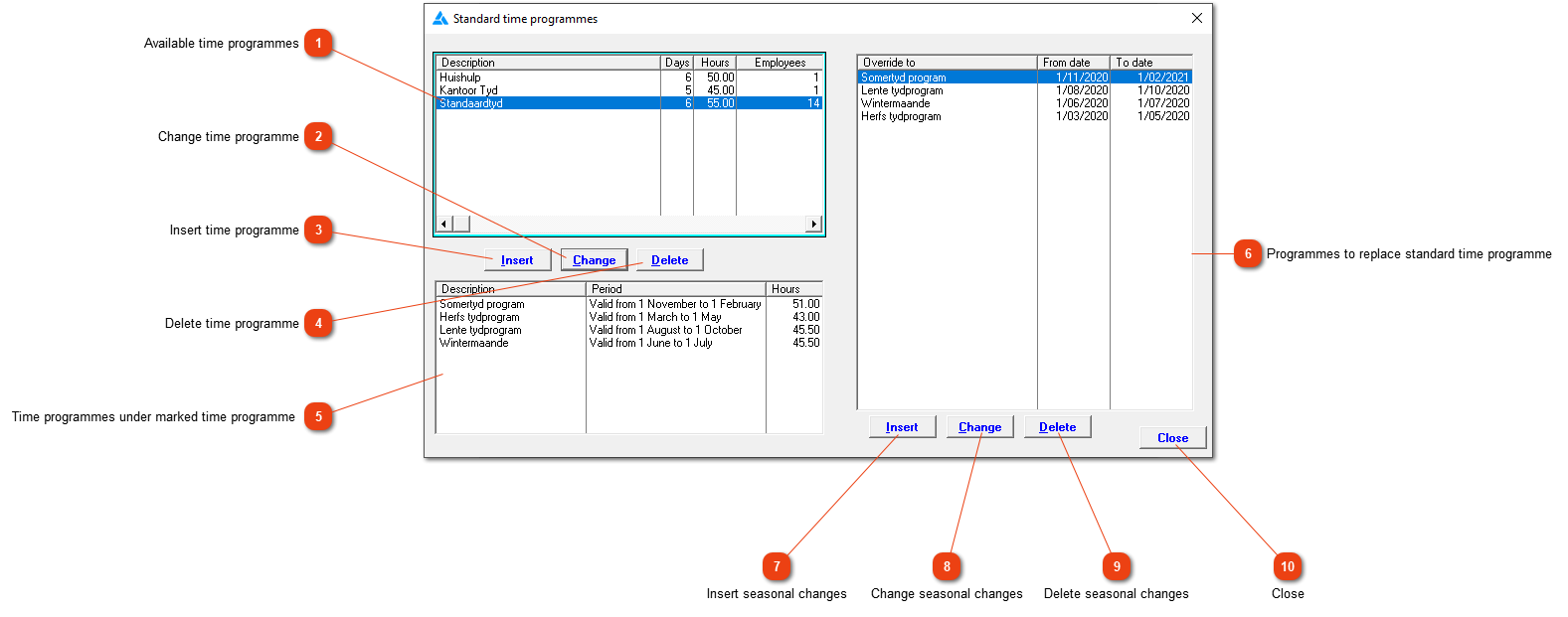
Seasonal overrides and the dates when they are active, can be seen here.
1

Available time programmes

1. Available time programmes
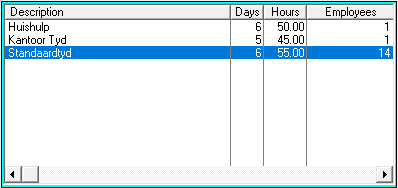
All available time programmes can be seen here. Clock workers will be on one of these programmes.
2

Change time programme

2. Change time programme
Time programmes shouldn't be changed after conversion has been done. Rather add a new time programme so that the history can be accurate.
3

Insert time programme

3. Insert time programme
A new time programme can be created here. It was already discussed here.
4

Delete time programme

4. Delete time programme
A time programme can only be deleted if it has never been used before. A programme can be discontinued.
5

Time programmes under marked time programme

5. Time programmes under marked time programme
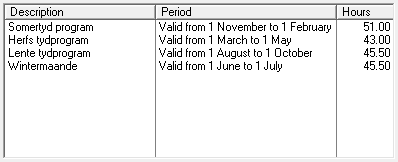
Here, all the time programmes linked to the highlighted time programme will be shown.
6

Programmes to replace standard time programme

6. Programmes to replace standard time programme
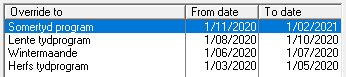
The Standard time programme is replaced by the Summer time programme from 01/11/2020 to 01/02/2021. These dates are filled out automatically (unless the date has already passed before the override was created). The dates can be changed if the season looks a bit different.
7

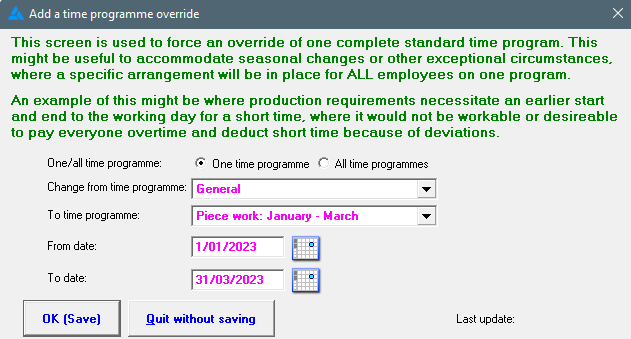
Insert seasonal changes

7. Insert seasonal changes
The seasonal changes will happen automatically. This means that under normal situations, it  should not be necessary to add a seasonal change programme. If you want to override a specific program with another one, AND seasonal overrides aren't set, this can be done here.
8

Change seasonal changes

8. Change seasonal changes
Edit the date or time programme here.
9

Delete seasonal changes

9. Delete seasonal changes
If the time programme shouldn't be overridden as defined, the override can be deleted here.
1010. Close
Close the window without saving the information.
The online help was made with Dr.Explain