TODO: To change the footer's content go to Dr.Explain menu Options : Project Settings : HTML (CHM) Export : Setup HTML Template and Layout
Insert: Adding time programme definition
Where an employee must be added on a new time programme, follow these steps:
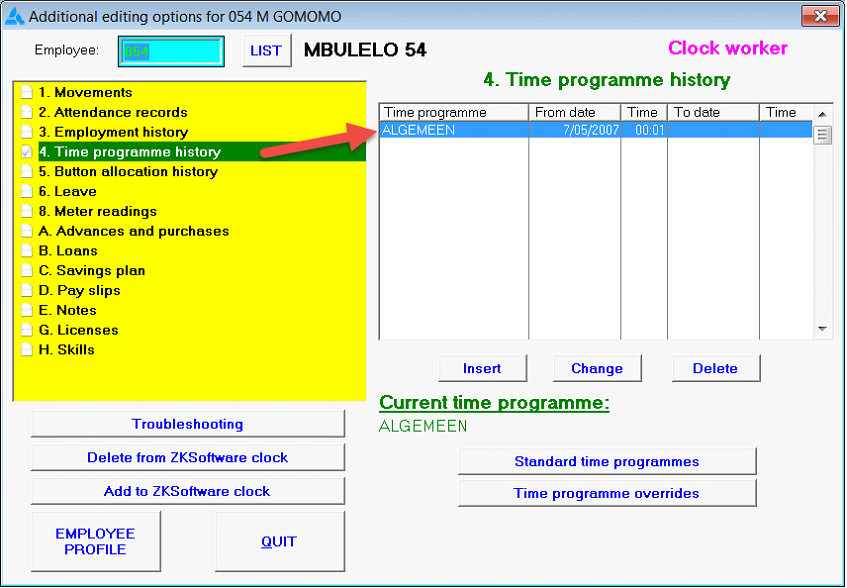
1. The employee's current time programme will be listed in the white table on the right hand side:
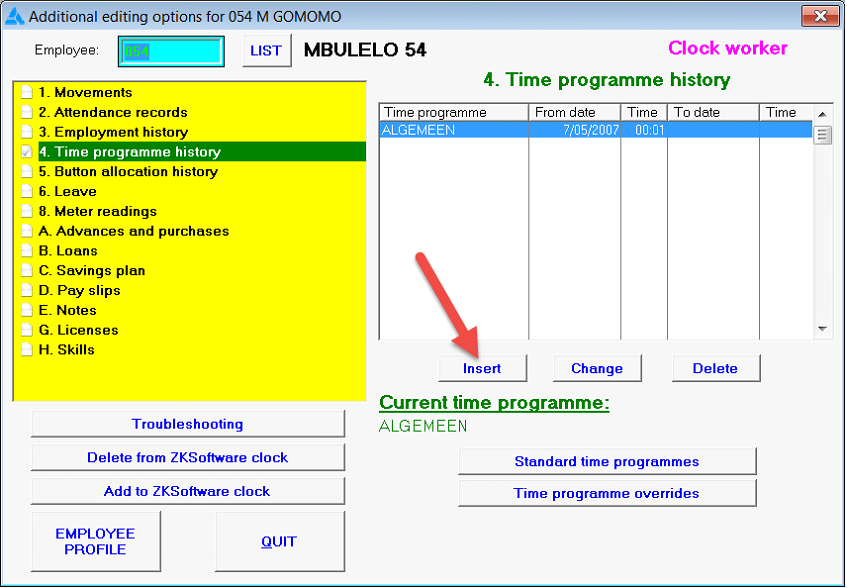
2. To change the time programme, click beneath the table on: Insert:
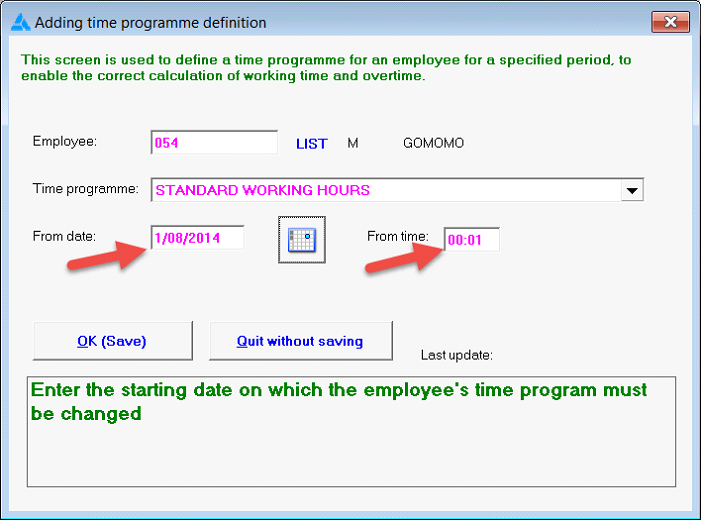
3. A screen where changes can be done, will open.
4. Select the new time programme applicable, by clicking on the black 'dropdown' arrow. A list of existing time programmes will be displayed:
5. Indicate the date and time as required:
6. Click on: OK (Save) to save changes.
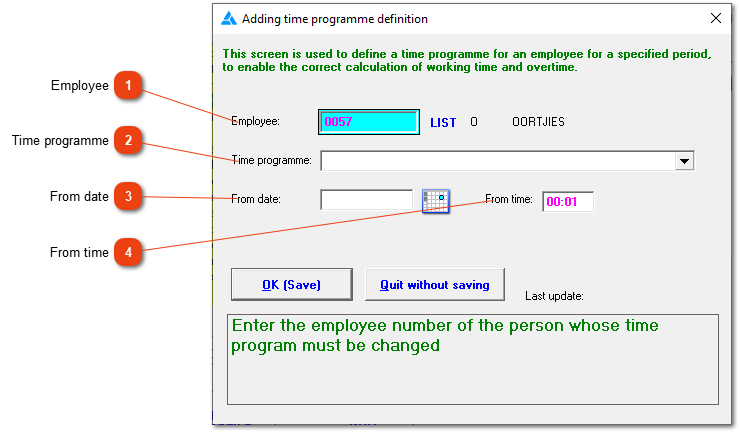
BREAKDOWN OF SCREEN
You have the ability to define a time programme for a specific employee. It is important not to change old records. Rather end a previous time programme and add a new one.
Employee
The employee's number will already be selected if you came via the 'Fix employee' screen.