TODO: To change the footer's content go to Dr.Explain menu Options : Project Settings : HTML (CHM) Export : Setup HTML Template and Layout
Mass adjustment of recurring items' amounts
The purpose of these steps is to adjust amounts of recurrent items, that has already been used on pay slips (the other option is to adjust this one by one on each employee's pay slip).
This will work great if there is increases to employees' normal contributions with regards to pension fund, provident fund, annuities and more.
1. Go to Pay:
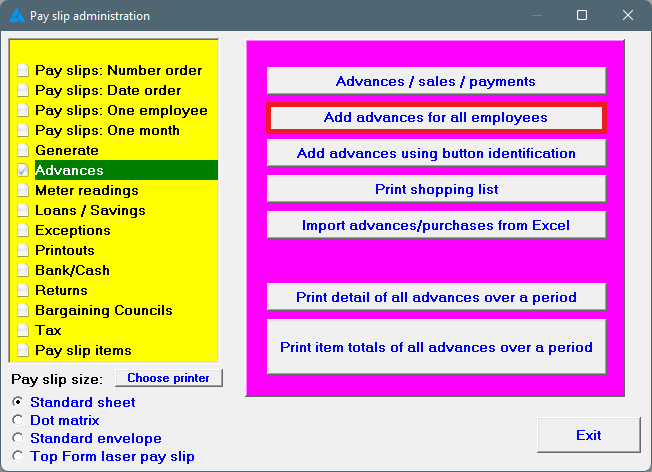
2. Advances/Add advances for all employees:
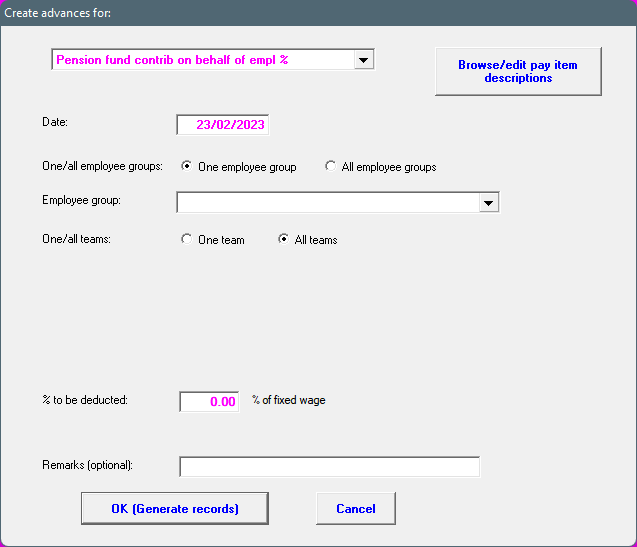
3. Enter all applicable options and add the the percentage or amount for the item. If the amount or percentage is left open, the system will not be able to continue with this process.