TODO: To change the footer's content go to Dr.Explain menu Options : Project Settings : HTML (CHM) Export : Setup HTML Template and Layout
Mass-create attendance records
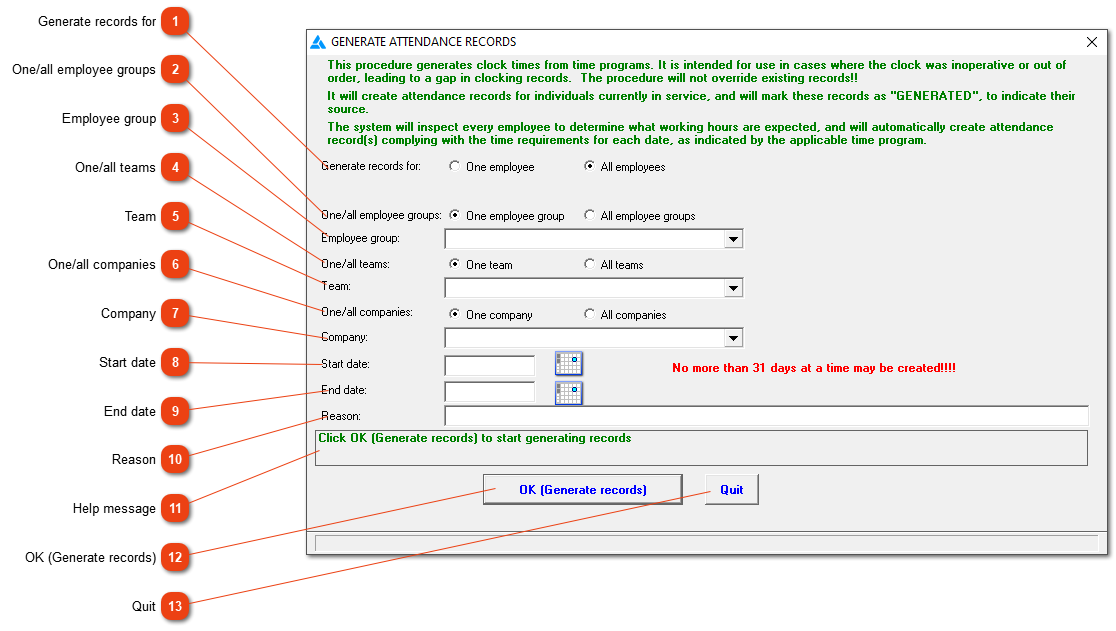
If a clock was inoperative or unavailable for some reason, you can use this function to create clock movements and attendance records for the time during which your employees were unable to use the clock. The records will be created according to each employee's time programme for those days. Should there be any attendance records for that period, they will not be replaced or altered but you will be warned of their existence.
Generate records for
Indicate whether the attendance records must be created for one employee or for all employees. If 'One employee' is selected, you will be asked to supply the employee number.
Enter the date up to which the attendance records must be created. The number of days from start date to end date (both dates inclusive) may not exceed seven days. If this is not sufficient, you can repeat the process until the entire period has been covered.