TODO: To change the footer's content go to Dr.Explain menu Options : Project Settings : HTML (CHM) Export : Setup HTML Template and Layout
Mass wage adjustment
Bulk salary adjustments for employees earning the same tariff, can be done by following the steps below:
1. Click on the Main Screen on the option: Personnel
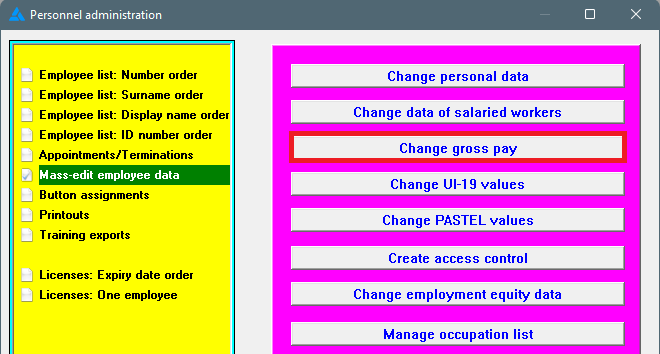
2. Click on: Mass-edit employee data.
3. Choose from the options on the right in pink/blue: Change gross pay:
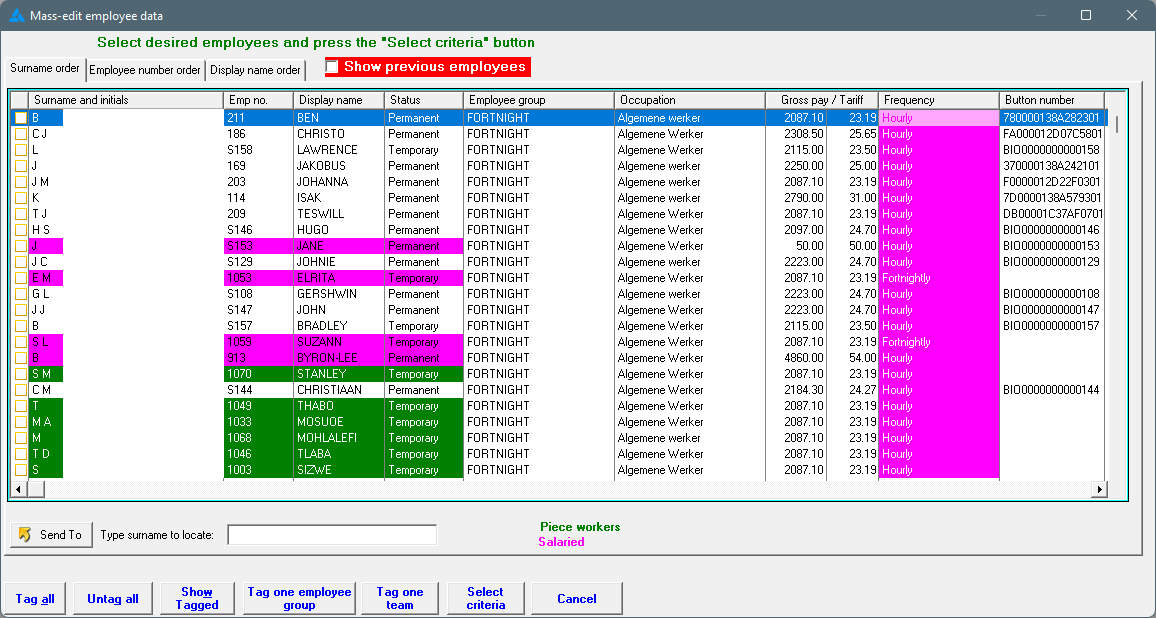
4. An employee list will be displayed:
5. Mark the employees' names whose salary/tariff needs to change, by clicking the block on the left hand side on the employee's name. A green mark will appear.
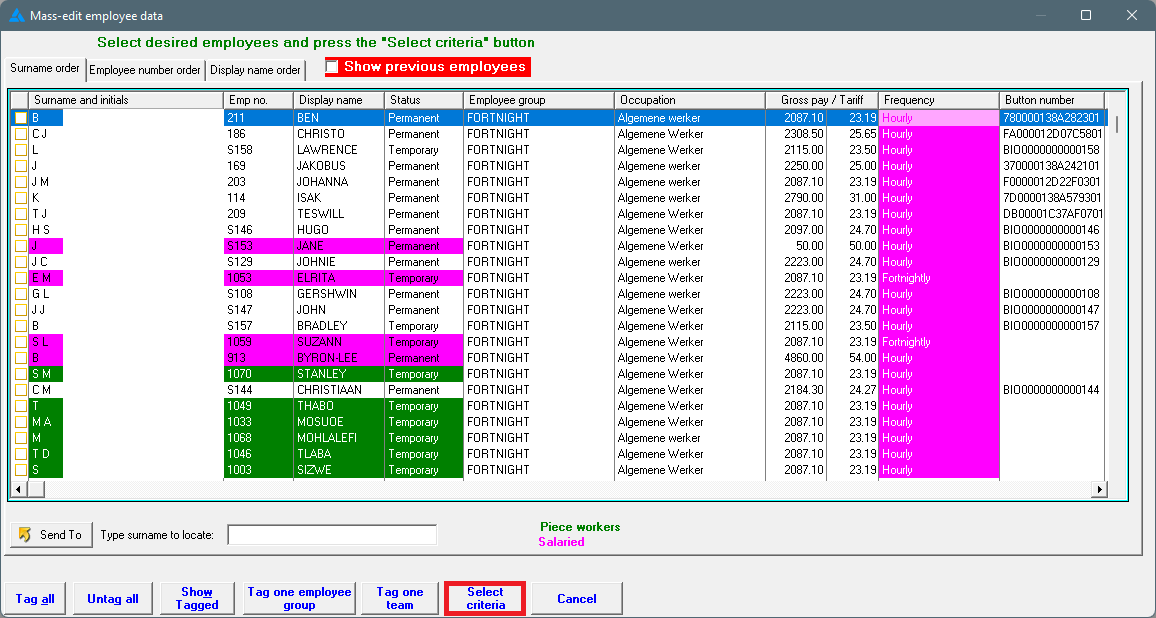
6. Choose the option at the bottom of the page that reads: SELECT CRITERIA.
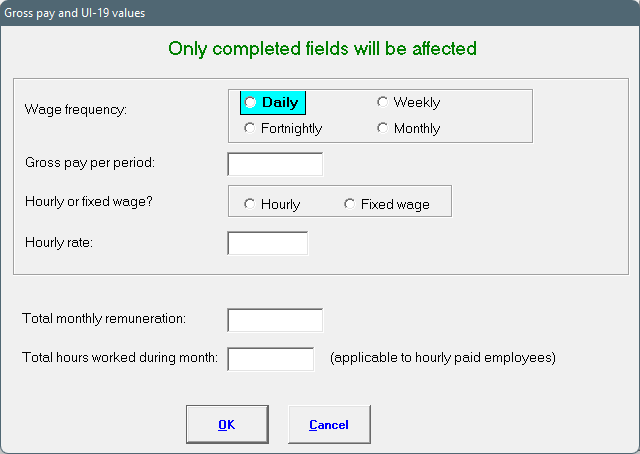
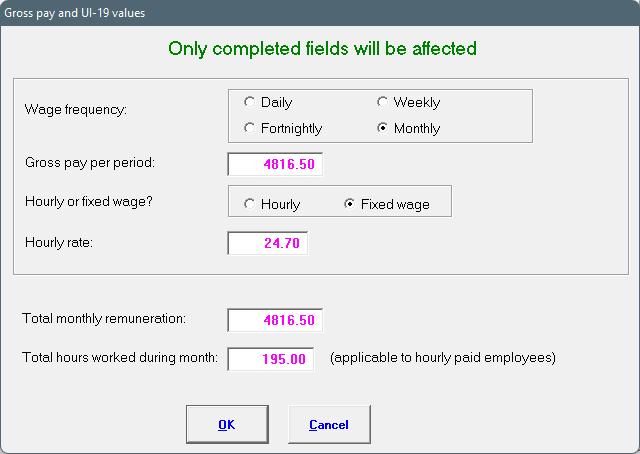
7. Complete all the fields on the screen that is displayed:
8. Complete the wage frequency, the gross pay per period, select if the worker is getting paid hourly or whether he/she is earning a fixed wage, etc. Ensure that all fields are completed: