To properly display this page you need a browser with JavaScript support.
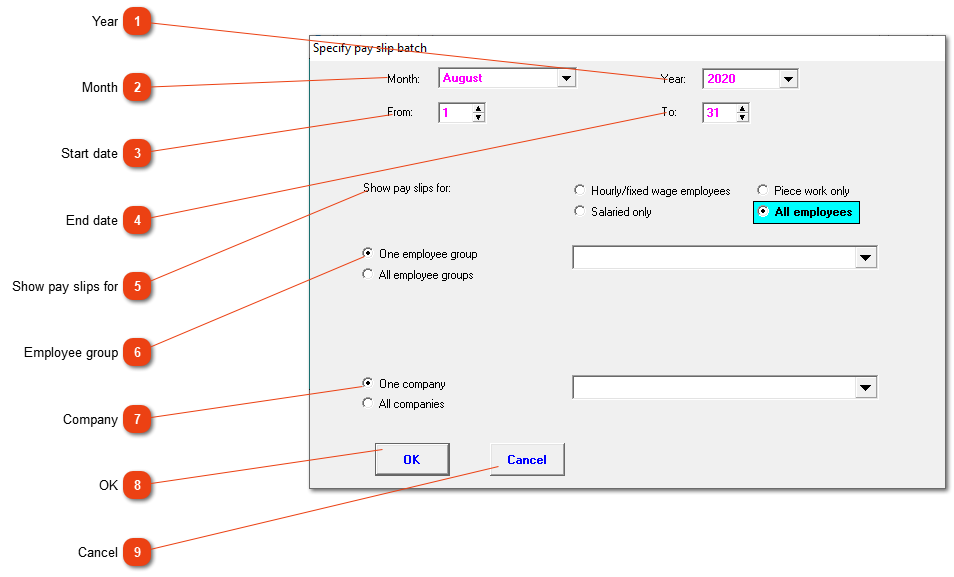
Pay slips shown can be filtered by certain variables.
Year
Choose the applicable year.
Month
Choose the month you want to see. If the pay slips stretch over two months, choose the month that falls with the end date.
Start date
The first date to be included.
End date
The last date to be included.
Show pay slips for
Do you want to see pay slips for a certain type of employee (clock, piece or salaried worker) or for all employees.
Employee group
Mark if all employee groups or only one should be included.
Company
Do you want to see the pay slips of all companies or only one?
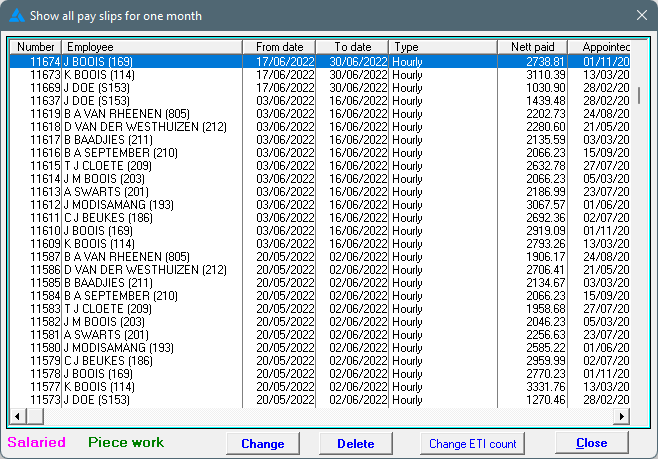
Click OK to show the pay slips as defined:
This is also the screen where it is easiest to delete all pay slips for a period. Choose the applicable period, choose the applicable company/group/team and start to delete the pay slips one by one.
Close the window without looking at the filtered pay slips.