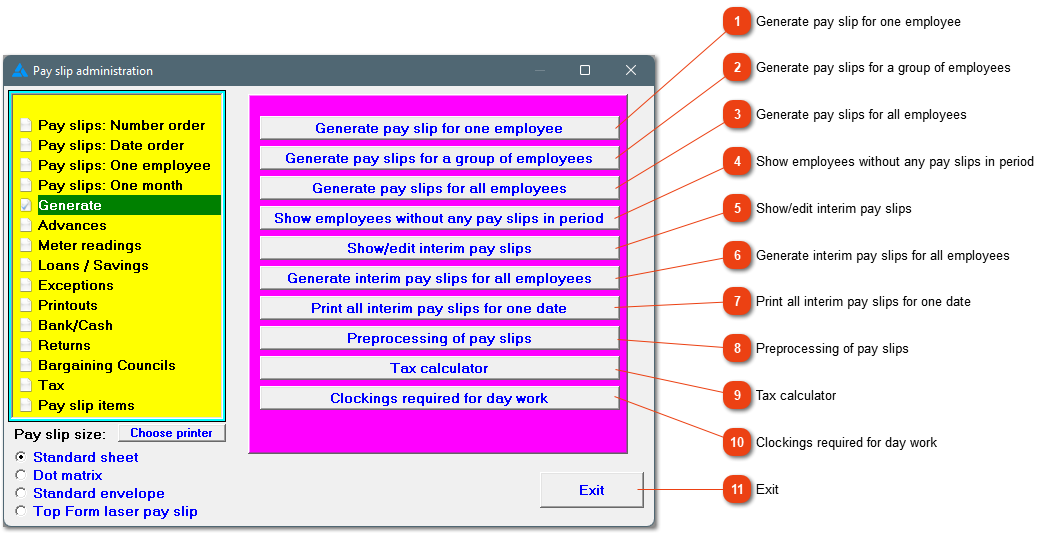
If you want to make sure that all employees have received pay slips in a certain period, this report can be useful. It can also be found under printouts.
Interim pay slips can be created where additional compensation must be paid to an employee at a different time than their normal pay slip. Examples of this can be: Extra bonus, wage correction, commission, etc.
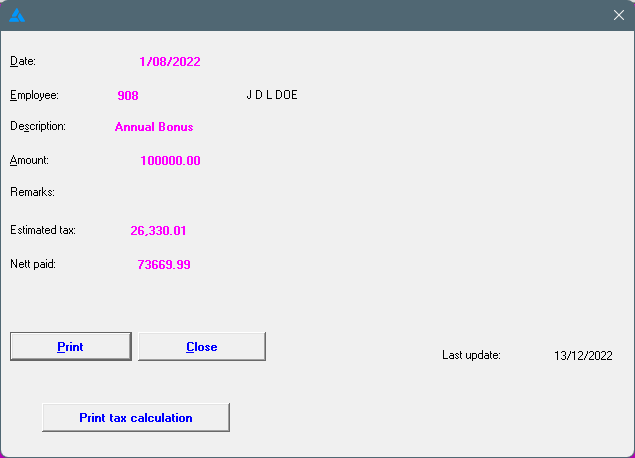
You have a couple of options after the interim pay slip has been created. The pay slip can be printed (Print), and it can also be viewed as shown below. From this screen (below), the interim slip can be printed or you can have a look at the tax calculation.
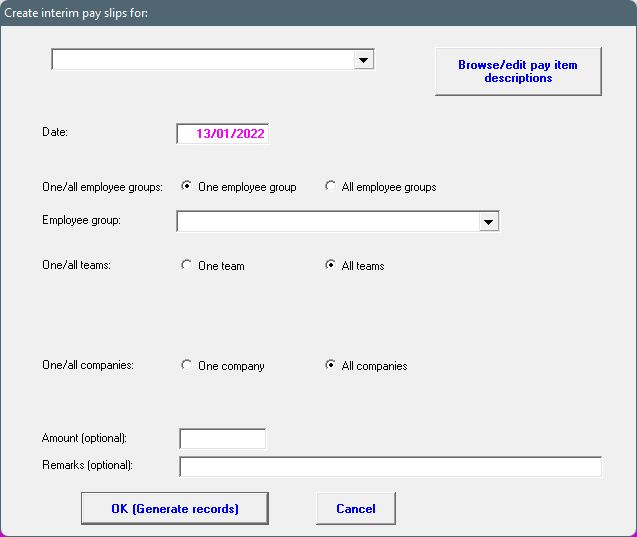
The option exist to create interim pay slips for an entire employee group/team/company. It has to be for the same pay slip item. The amount is optional on the first screen. After OK (Generate records) has been clicked, every employees' interim pay slip screen will open one by one where their amounts can be added.
Gives a preview of the pay slips before they are printed. The preview shows all the figures (that the system knows of) which will appear on each employee's pay slip (excluding tax) and allows you to decide what changes to make before the pay slips are actually generated. To get the most accurate amount on the fixed wage, data needs to be converted, advances, leave etc must be added. All recurrent items will also be taken into account. If you want a printout, look at the payroll estimate.
This calculator will calculate tax on a certain income. This can also be used to work out the employees gross income if he/she must get a certain amount monthly. Please note, Africlock calculates tax on a year to date basis. Previous pay slips will therefore influence the PAYE of the current pay slip.
To have better control over salaried employees, you can ask them to clock. The system will only see that employees worked on the specific day if the employee clocked twice and these clock movements were a certain period of time apart.