To properly display this page you need a browser with JavaScript support.
Print detail on pay slips - more options
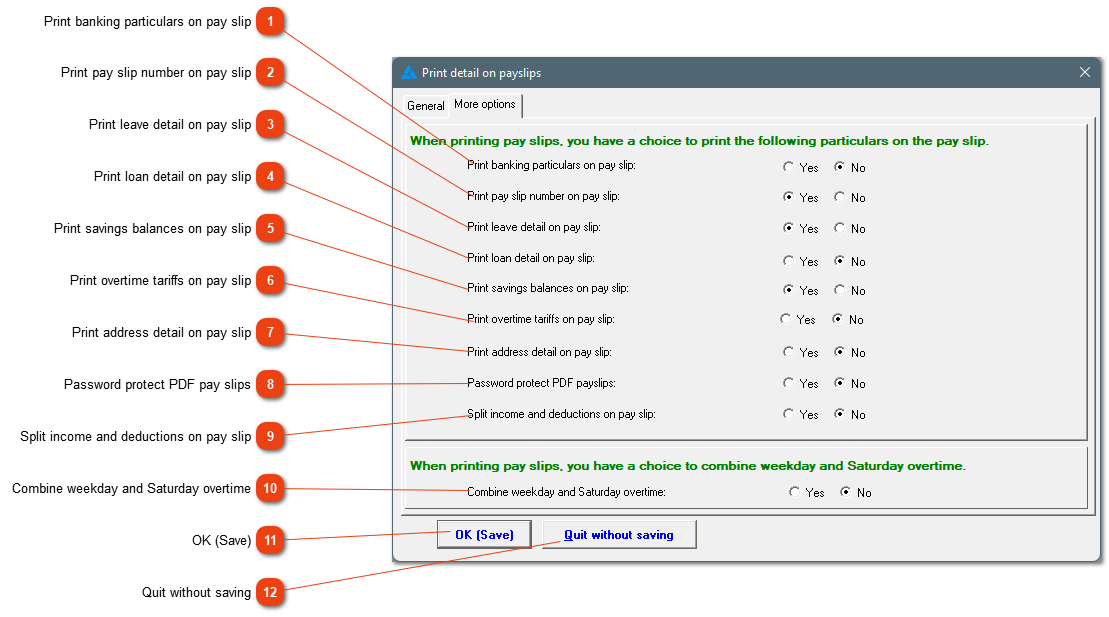
Print banking particulars on pay slip
The banking particulars and remarks on the pay slip uses the same field, therefore only one of the two options can be used.
Print pay slip number on pay slip
You have the option to print the pay slip number on the pay slip or not.
Print leave detail on pay slip
Show the employees exactly how many days and what type of leave was taken in the pay slip period.
Print loan detail on pay slip
Print the starting balance, interest, instalment and closing balance of all loan transactions on the pay slip by choosing 'Yes'. If the 'No' option is printed, the outstanding balance will still be printed on the pay slip.
Print savings balances on pay slip
Detailed information with regards to the employee's savings balance.
Print overtime tariffs on pay slip
Print all the different overtime tariffs on the pay slip, even if the employee didn't work overtime.
Print address detail on pay slip
Print the employee's address details on the pay slip. This can help to check their details for Easyfile purposes.
Password protect PDF pay slips
By activating this setting, employees' pay slips will be password protected. The password is the employee's ID number.
Split income and deductions on pay slip
All the income will be listed together at the top of the list and all the deductions will follow with a line separating the income from the deductions.
Combine weekday and Saturday overtime
You have the option to combine overtime on weekdays and Saturdays or add it as two separate entries.
Close the window without saving the information.