TODO: To change the footer's content go to Dr.Explain menu Options : Project Settings : HTML (CHM) Export : Setup HTML Template and Layout
Terminate all employees in a componay/group
There is NO way to quickly reverse the following process if you've made a mistake. This mistake will need to be fixed one by one. Please make very sure of the reason, employees and date.
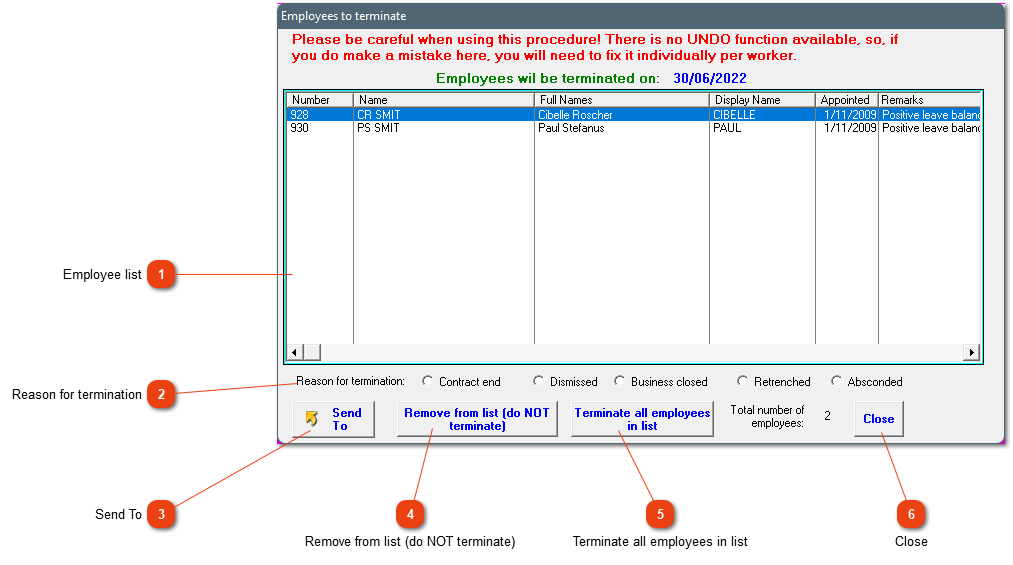
Employee list
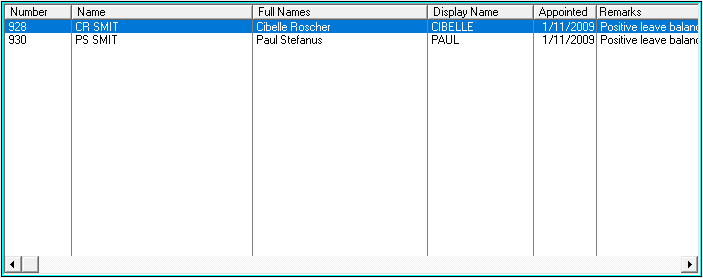
A list of employees, which are currently in the company or employee group, will be shown here. Please pay attention to the remarks field, and resolve this before the option can be used.
Only one reason for termination can be chosen to terminate the employees' services. Choose the correct option by marking the circle to the left of the description.
If you are sure about all the employees on the list, click on this block to start the process. This will only be successful if all the employees have pay slips and the remarks column has been attended to.