TODO: To change the footer's content go to Dr.Explain menu Options : Project Settings : HTML (CHM) Export : Setup HTML Template and Layout
Time programme overrides
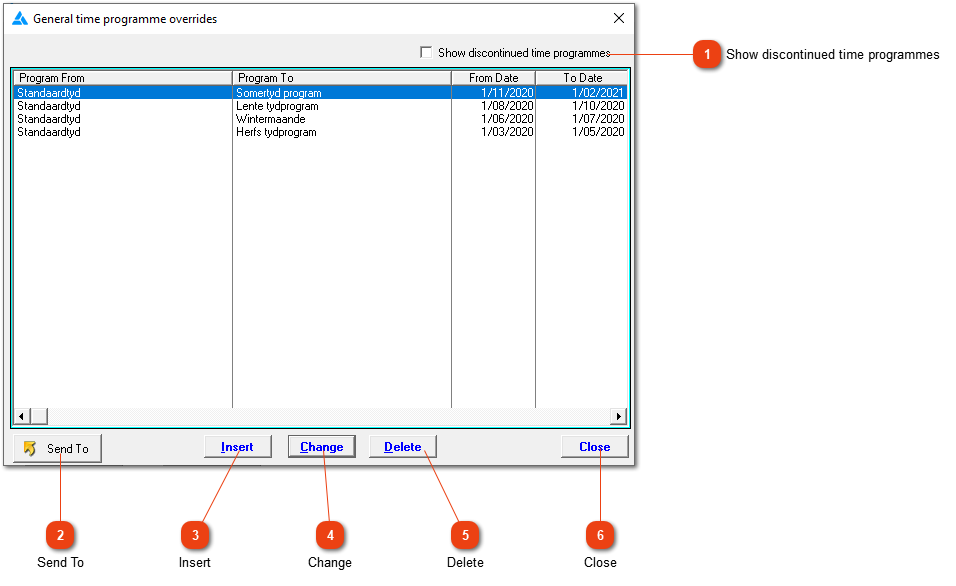
Any time overrides will be shown here. Please note, any changes or allocations made here will be applicable on EVERY employee on the specific time programme. Listed in the table you will see what time programme (Program from) will be overridden/changed to another programme (Program To). The applicable dates will also be shown. If you are using normal seasonal overrides on the programme, the entries will be added automatically. The dates can be changed.
Discontinued time programmes will not be shown on the list. If you want to see the discontinued time programmes mark this block.
Delete an existing time programme override. It is wise not to delete overrides if it has been used for conversion during the applicable time period. The system shouldn't allow you to delete it. If it is an override that was mistakenly added and it hasn't been used yet, it can be deleted.