Africlock Manual
Menu

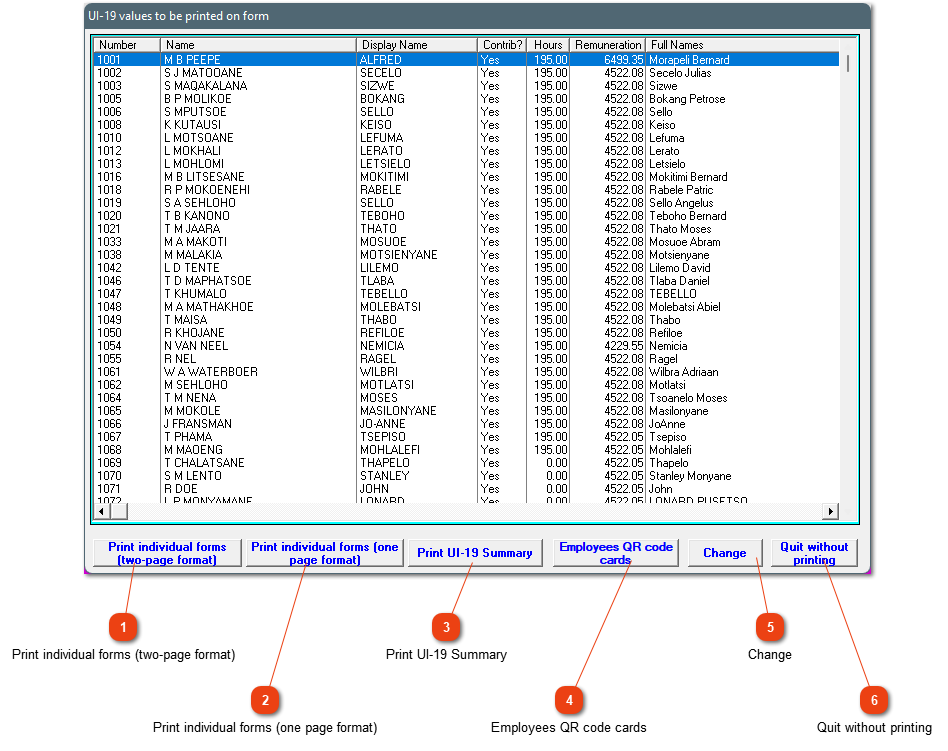
UI-19 values to be printed on form

UI-19 values to be printed on form
This screen will open as soon as the new appointments printout or all terminations printout is closed. This gives you the ability to print all the UI-19 forms at once when a lot of employees are appointed at the same time or if their services are terminated at the same time.
11. Print individual forms (two-page format)
Print employee's UI-19 form on the two page format.
22. Print individual forms (one page format)
Print employee's UI-19 form on the one page format.
33. Print UI-19 Summary
Print an UI-19 summary of all the employees on this list. You need to choose one company. Every employee will be shown on a separate line.
44. Employees QR code cards
This is a helpful printout when you want to generate a printout with QR codes for all new appointments. The QR codes are used with the cell phone app.
55. Change
Change the employee's information if incorrect.
66. Quit without printing
Close the window without generating any printouts.
The online help was made with Dr.Explain