Generate a report, which will open as an Excel spreadsheet, giving equity detail per employee. The report only work when a period of a year has been chosen. It is good practice to first print the 'Employment equity report'. The system requires that all employees' details will be filled out and by doing this, the detailed report will not contain a lot of question marks.
The Excel file contains two sheets. Page/sheet 1 will show all employees currently in service and page/sheet 2 will show everyone that isn't in your service anymore.
Page 1 (Currently in service) gives applicable equity information.
Page 2 (Terminations) gives the same information without the financial information.
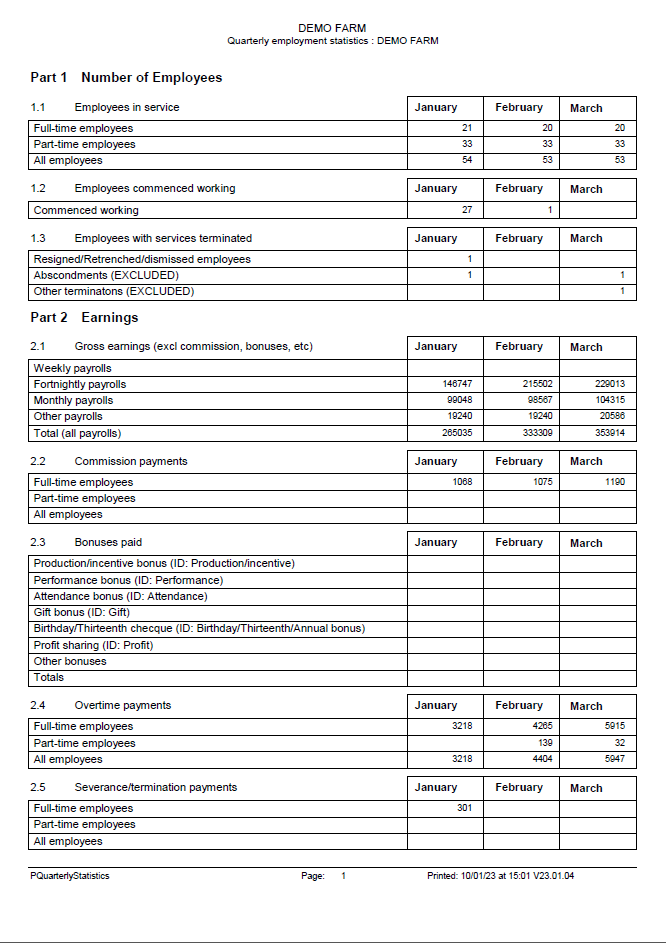
The employment equity report can be printed here. It must be a period of a year. Three different reports will be generated. As the one report is closed, the next report will be shown. It is discussed in more depth here.
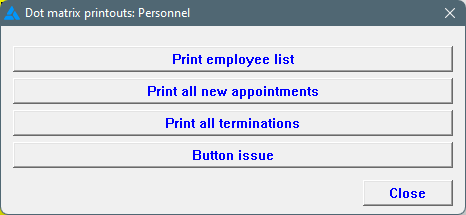
The system can print to a dot matrix printer if necessary, although only certain reports can be produced in this way. The Windows print engine is bypassed for the dot matrix printer, leading to shorter printing times than would otherwise be the case.