TODO: To change the footer's content go to Dr.Explain menu Options : Project Settings : HTML (CHM) Export : Setup HTML Template and Layout
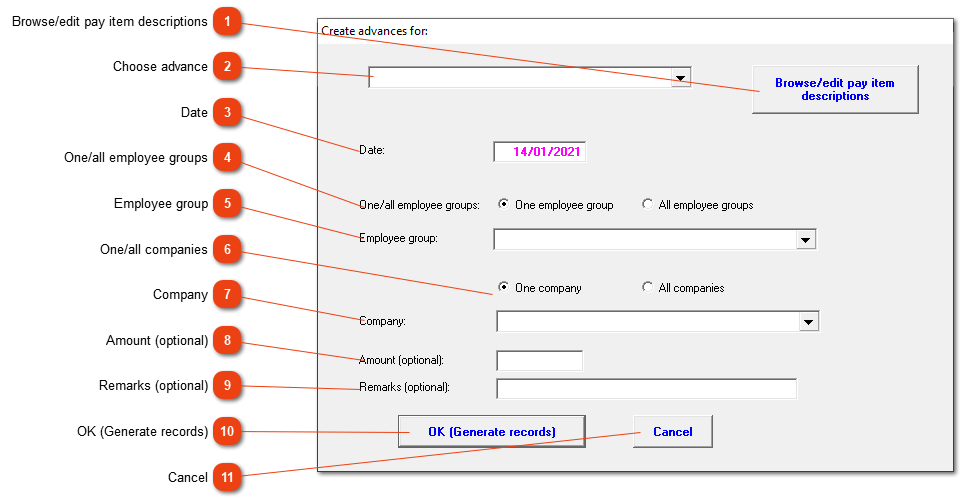
Add advances for all employees
If all the employees in one group will receive the same advance, it can be created using this option. The advance amount doesn't need to be the same, but the item should be.
This button will open the pay slip item screen. A pay slip item can be added or edited.
Enter an amount here, only if ALL the employees must receive the same amount. If the field is left open, the amount must be added as the advance windows open one by one for each employee.
This is an optional field where a remark can be added (the same for all employees). Otherwise, if the field is left open, a remark can be added individually.