Add pay slip item: Hour/unit based
To insert a new pay slip item for 'Hour/unit based item', proceed as follows:
1. Click on the Main Screen on: Pay.
2. Select from the options in the yellow block: Pay slip items.
3. A list with existing pay slip items will be displayed.
4. To add the hour/unit based item, click at the bottom of the screen on: Insert.
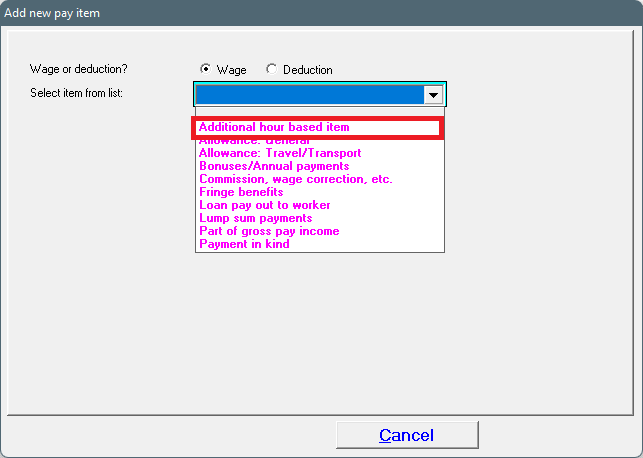
5. Select: Wage.
6. Select the correct item from the list displayed, by clicking on the black 'dropdown' arrow. Select: Additional hour based item.
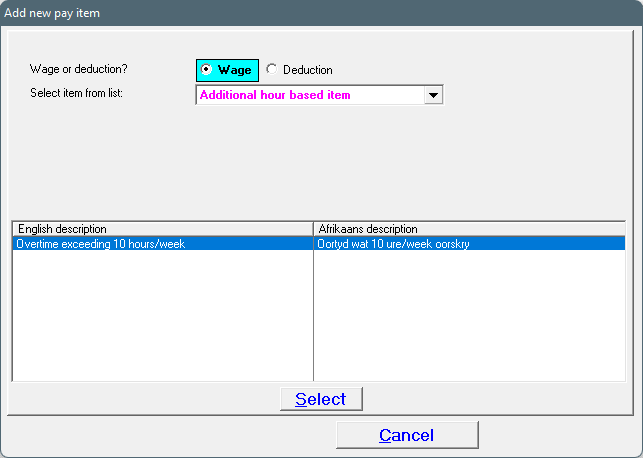
7. Choose the only item available: Overtime exceeding 10 hours/week (it will be highlighted in blue) and click on 'Select'.
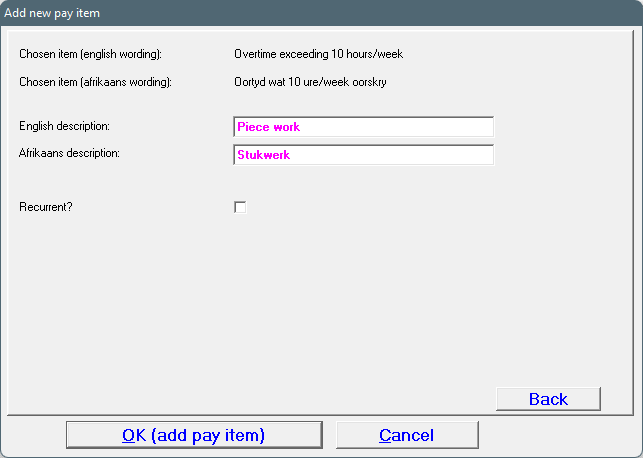
8. Change the English and Afrikaans descriptions to something appropriate.
9. Should this be a recurrent item or not?
10. Click on OK (add pay item).
11. The hour/unit based item will now be available to be used when generating pay slips.
· If the item as been marked as a 'Recurrent' item, the item will be added on the following pay slip automatically.
· If the amounts change every month, this can be changed on the pay slip itself.
· If the hour/unit based item isn't marked as recurrent, it will only be added on the pay slip once off.
Add a pay slip item: Hour/unit based with a fixed tariff
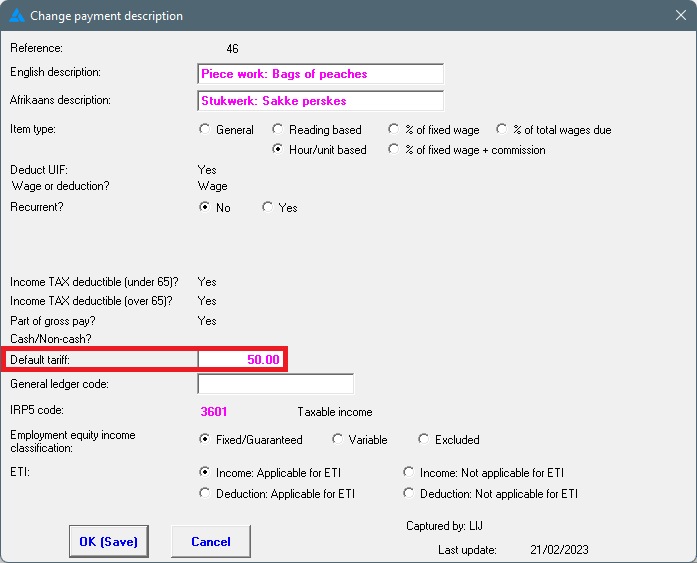
The purpose of this pay slip item is to use a normal hour/unit based item as a piece work item. If every employee's rate for the hour/unit based item is the same, it can be added as the default tariff. Then the user only need to add the amount of hours/units on the pay slip.
This will not change the tariff on previously created pay slips.