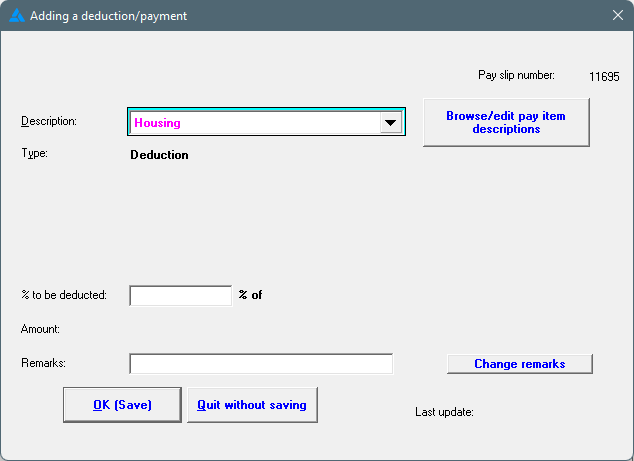
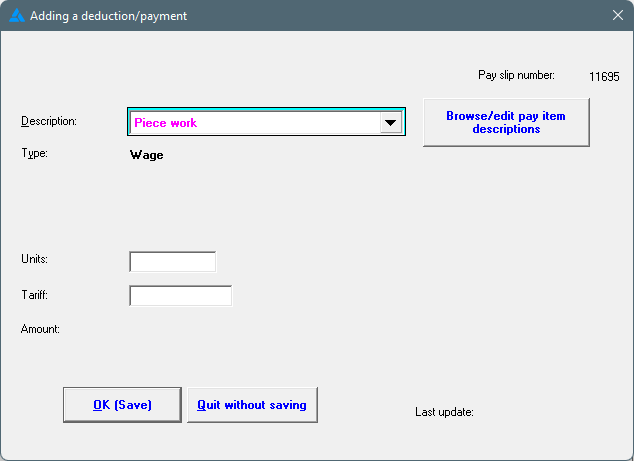
Additional pay slip items to be used on pay slips can be added, by following the steps below: If you are unsure, phone the office, especially if a specific SARS code must be used.
1. Click on the Main Screen on: Pay.
2. Select the last option in the yellow block: Pay slip items.
3. A screen with the current list of pay slip items will be displayed.
4. To add a pay slip item, click on: Insert.
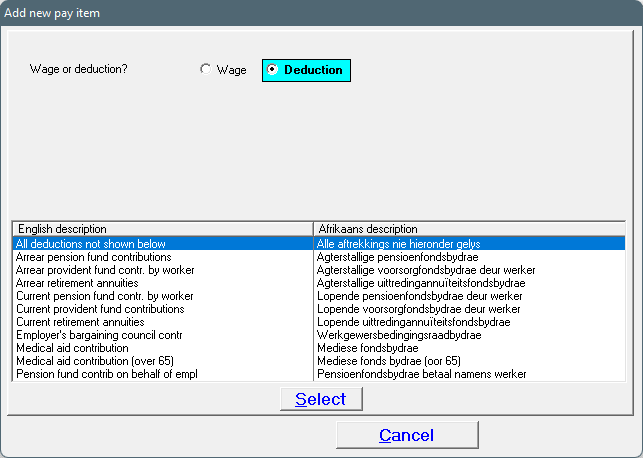
5. Select between Wage or Deduction, whichever applicable:
FOR A WAGE:
· When clicking on the dropdown arrow, a list of items will be displayed from which one can be selected.
· Select the item description as required, and click on the word: 'Select'.
FOR A DEDUCTION:
· A table will be displayed from which an item can be selected; Make your selection and click on: Select.
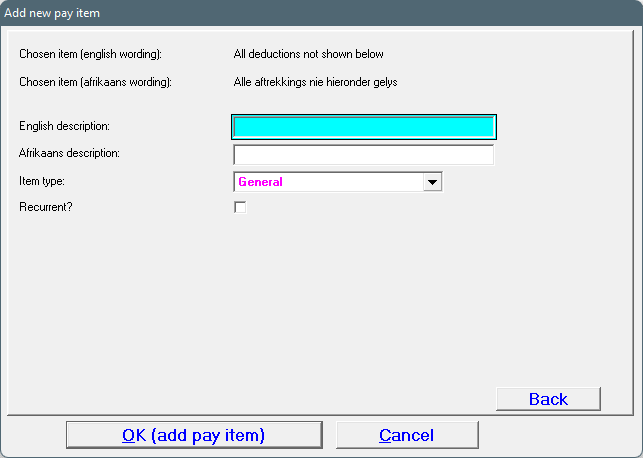
6. Complete the English and Afrikaans description in instances where it is not already displayed.
7. Select the item type (for example: General, % of wage, etc), AND select: Recurrent (or leave this block open if not a recurrent transaction):
8. Click on: OK (add pay item).
9. The pay slip item will now be available to use when generating pay slips:
· Where a pay slip item was marked as 'Recurrent' it will repeat itself on every following pay slip.
· Should the amount of the transaction vary from month to month, it can be changed on the pay slip.
· Items not marked as recurrent will be treated as once off.
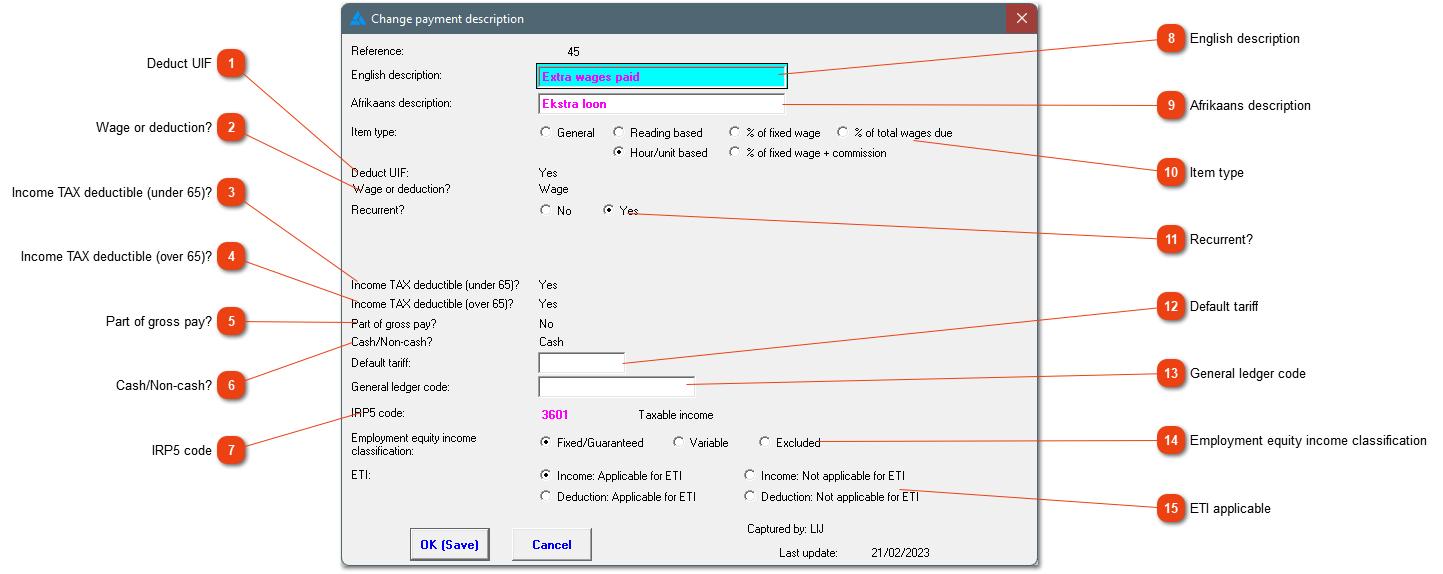
Example of a pay slip item and the different settings that can be changed:
Certain fields on the pay slip item screen cannot be edited (#1-#7), these fields are set during the creation of the pay slip item. If any of these frozen fields are incorrect, you need to phone us so that we can set up the item correctly.
|
Is the item used when calculating UIF?
|
|
|
Is the item something that increases (wage) or decreases (deduction) the employee's sum total?
|
|
|
Is this item taxable for an employee under the age of 65?
|
|
|
Is this item taxable for an employee over the age of 65?
|
|
|
Does this form part of the employee's gross pay?
|
|
|
Does the employee receive physical monetary compensation for the item or is it something that is worth the stated amount? This item will form part of the taxable income but won't increase the nett amount.
|
|
|
This code is used in the IRP5 electronic file for the biannual and annual reconciliation.
|
|
|
This is what will be printed, for this item, on the English employee's pay slip.
|
|
|
This is what will be printed, for this item, on the Afrikaans employee's pay slip.
|
|
 Item type
Each item can be handled in different ways.
-
General: No calculation occurs, it is a straightforward amount.
-
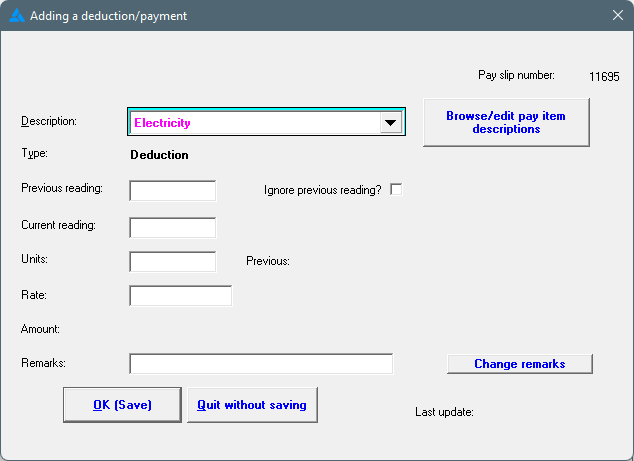
Reading based: Electricity or water readings or something similar. The system will look at the previous reading, compare it to the new reading, and calculate the difference. The readings can already be entered on the system before the pay slips are created.
-
% of fixed wage; % of total wages due; % of fixed wage + commission: This item can be set to be a percentage of one of the 3 options. The system will then calculate the rand value which will be added on the pay slip and the percentage will be added in the description.
-
Hour/unit based: hours or units multiplied by a certain tariff (the tariff can be added as described in #12 below).
|
|
|
Should the item be added once off on the pay slip or should it be added on all pay slips e.g. housing, provident fund etc?
|
|
The default tariff for the hour/unit based item can be added here. If the field is left empty, you'll need to add it when creating the pay slips. |
|
The purpose of the general ledger code is to assist in the allocation of costs in your accounting programmes. It is discussed here. |
|
 Employment equity income classification
This is used on the EE-report. Is is a fixed/guaranteed income, a variable income or should it be totally excluded for EE purposes. |
|
 ETI applicable
Is the employee's cash compensation influenced by this item?
Income: Applicable for ETI / Increase the employee's cash compensation for the ETI calculation e.g. Wages, commission, allowances etc.
Income: Not applicable for ETI / Does NOT increase the cash compensation for ETI calculation e.g. Savings, advances, employer's contribution to pension/provident fund etc.
Deduction: Applicable for ETI / Does NOT decrease the cash compensation for the ETI calculation e.g. employee's contribution to pension/provident fund, savings deductions, groceries etc.
Deduction: Not applicable for ETI / Decrease the cash compensation for the ETI calculation e.g. Housing, transport, electricity etc.
If anything is unclear, please call the office to receive assistance to correctly mark the item's ETI applicability.
|
|
Specific pay slip items: