To properly display this page you need a browser with JavaScript support.
Africlock Manual
Menu
Search
Main screen
Personnel
Button assignments
← Previous page
Next page →
TODO: To change the footer's content go to Dr.Explain menu
Options : Project Settings : HTML (CHM) Export : Setup HTML Template and Layout
To properly display this page you need a browser with JavaScript support.
Button assignments
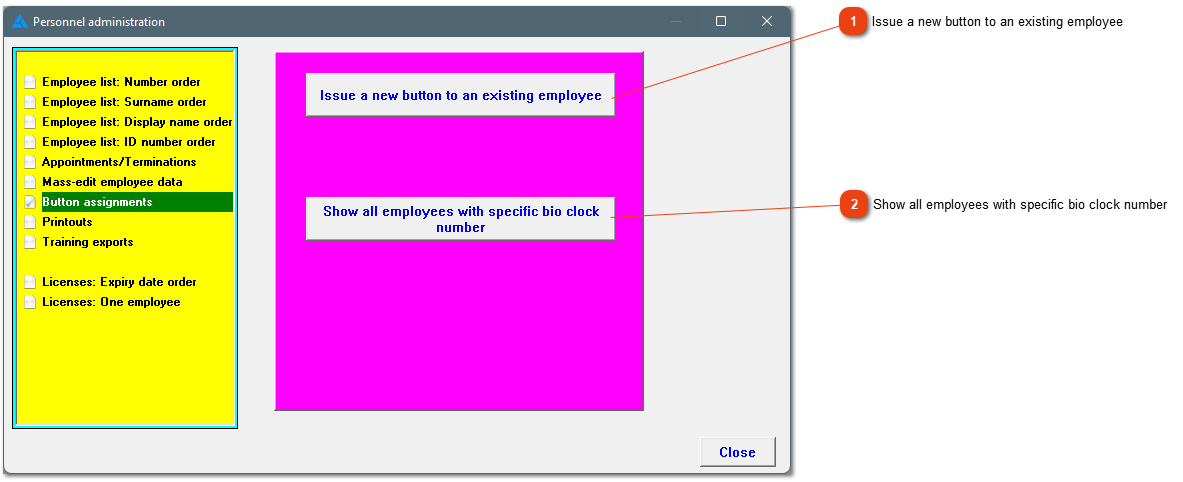
This window lets you issue a new button to an employee for whatever reason (previous button lost, damaged etc.)
with
or
without
a button reader.
Top
Enter the bio clock number applicable. The system will provide information of the employees linked to the specific bio clock number. A list of all current bio clock numbers can be found under
printouts
.
Top
The contents of Button assignments
1. Issue a new button with the use of a button reader
2. Issue a button without the use of a button reader
The online help was made with Dr.Explain