Africlock Manual
Menu

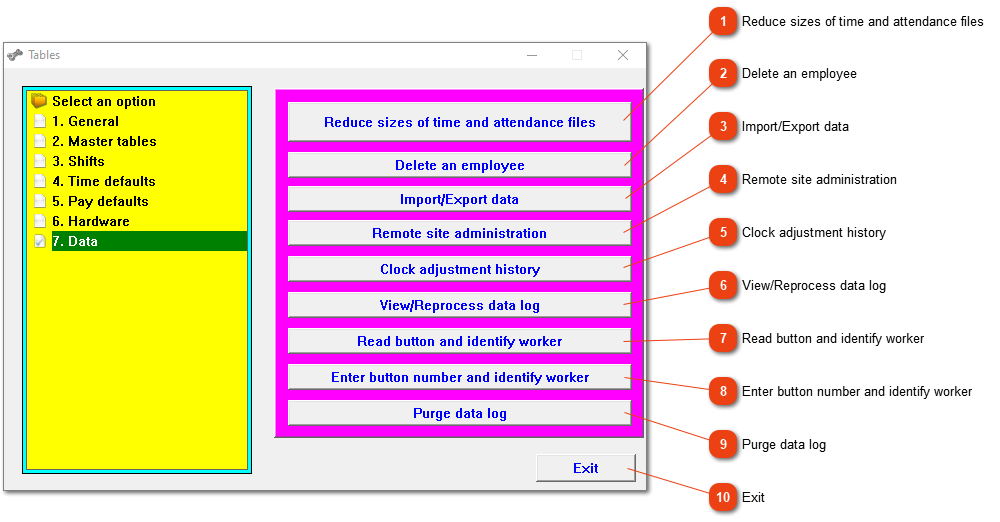
7. Data

7. Data
11. Reduce sizes of time and attendance files
This process will delete old clock movements and attendance records. Please note, this process cannot be reversed and cannot be stopped.
22. Delete an employee
Delete all records for a specific employee (clock movements, attendance records, leave records, pay slips and employee data). The system will only delete the employee if he has left your service more than 3 years ago (5 years if pay slips have been generated). Please make a backup before doing this, and note that the system will only delete employees who left your employ more than three years ago. You will be given a final chance to confirm whether you want to delete the data or not, but once the deletion process has started, you will not be able to stop it.
33. Import/Export data
This provides you with a variety of data import/export options.
44. Remote site administration
If you are not on site, or close to the terrain where employees are clocking, and you need to process the data, this can be done through terrain administration.
55. Clock adjustment history
Displays a clock adjustment log, kept as proof of the number of times you needed to adjust the clock.
66. View/Reprocess data log
View/reprocess clock records log. Please do not use this option unless you know exactly why - rather call us than struggle!
77. Read button and identify worker
Use this procedure in conjunction with your optional button reader to identify a button.
88. Enter button number and identify worker
Use this procedure to enter a button number and obtain various details about it.
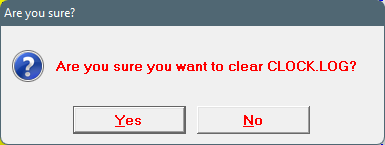
99. Purge data log
In some cases, the existing data log needs to be cleared. Please do not do this by yourself!
1010. Exit
Close the window.
The online help was made with Dr.Explain