You, as employer, have received a letter from Department of Labour giving permission that your employees may work more than 15 hours overtime per week, provided that they are compensated at 1.75 of their normal rate for the hours exceeding 15. How should it be handled on Africlock?
The system does not have a setting where this will happen automatically.
There are some tools that can make the process easier:
1. Convert the clock data as normal
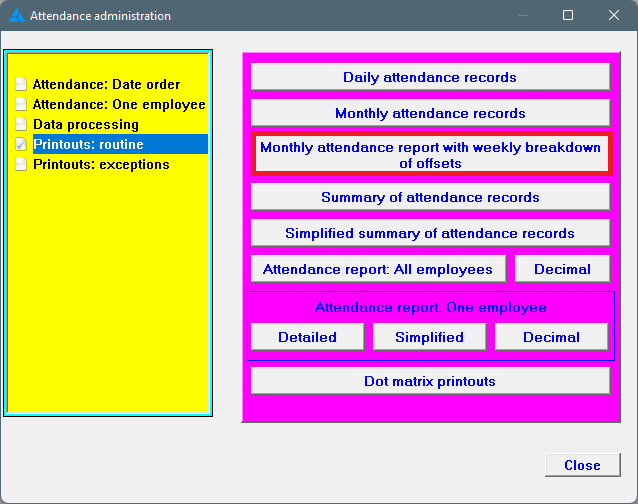
The PDF report looks as follows (you'll be able to see the amount of weekly overtime. Please note: The report will balance overtime and short time on a weekly basis)
Excel report (This report shows how much overtime there is in a week from Monday to Saturday, already balanced with short time; how much of this overtime hours is more than 15 hours; a breakdown of standard time, total overtime over the weeks, time on Sundays, short time, etc.)
In this example, the employee had 20.5 hours overtime in week 2, this means that 5.5 hours is over the 15 hour mark and should be compensated at the higher tariff.
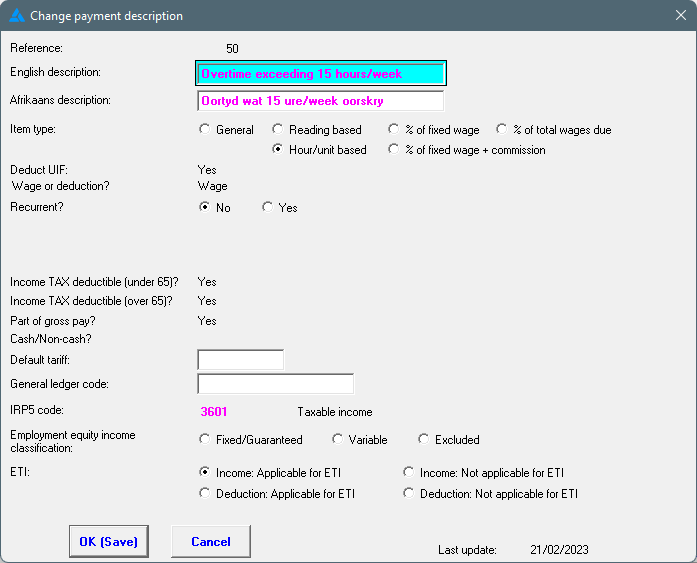
3. Use the hour/unit based item on the pay slip. If you do not have an hour/unit based item (not used for anything else), you need to
create one. Change the description to something appropriate e.g. Overtime exceeding 15 hours/week. If the employees do not receive the same hourly tariff, leave the default tariff field open.
4. Decide how you want to handle the overtime exceeding 15 hours:
-
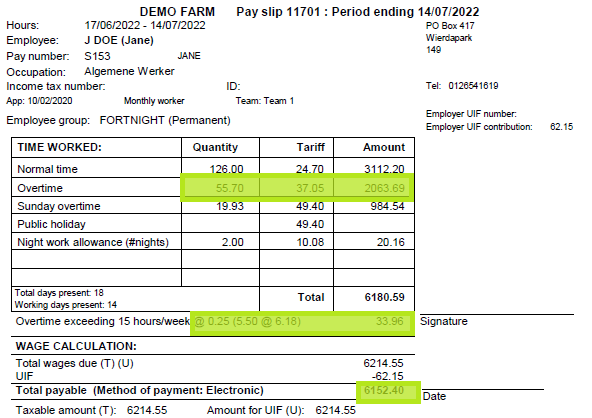
Pay a tariff of 0.25 (this means all the overtime are already paid at 1.5 and the extra hours are given at an extra 0.25)
-
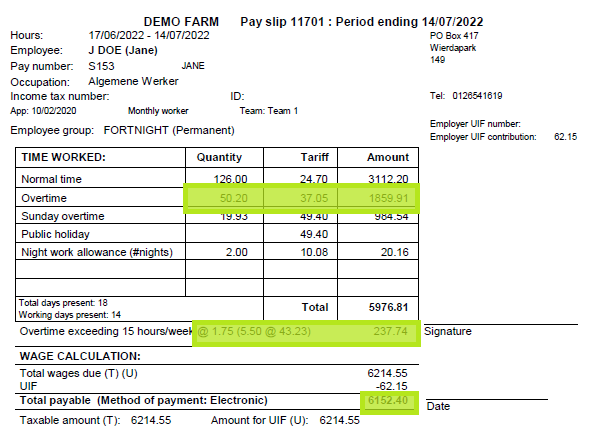
Pay overtime at a rate of 1.75 of the normal rate (the overtime column must be manually adjusted to deduct these hours)
You'll see that the total payable amount on both pay slips will be the same. It is only the way that the pay slip is laid out that differs.